Uncover your audience’s reactions towards your video second-by-second with Conjointly’s fully automated dial testing. Simply upload your video and set your slider labels to launch in minutes, with no additional configuration required from you or your respondents.
Gather responses using your own contact lists or reach your target audience through Conjointly to see precisely when viewers engage and when their attention drops off.
If you prefer the Conjointly research team to design and manage the project for you, check out our managed dial testing solution.

Fully DIY
Build, launch, and adjust your test exactly the way you want, with complete control at every step.

Set up in minutes
Launch fast with minimal configuration, while giving respondents a seamless, engaging experience.

Comprehensive research
Run dial testing on its own or seamlessly combine it with other question types and methodologies.

Real human respondents
Receive verified human responses, protected by robust safeguards against survey fraud and bots.
How dial testing works
A dial test follows a simple sequence:
- Instructions: Respondents learn how to use the on-screen slider, supported by an optional 15-second practice clip.
- Video playback: As the video plays, respondents continuously move the slider to rate their reactions on a 0–100 scale.
- Optional action moments: A customisable Take Action button allows respondents to flag specific decision points, such as "Would skip" or "Would buy" in real time.
- Automated analysis: As soon as data collection completes, responses are timestamped and plotted into an actionable sentiment trace.
Main outputs of dial testing
Synchronised video and sentiment analytics
Move through your video to watch the sentiment curve update in real time, or click any point on the chart to jump to that moment in the footage. Your interactive report automatically highlights average sentiment, overall response spread, and peak drop-off or engagement points.
For deeper analysis, overlay individual respondent paths with a spaghetti plot, or trim intro title cards directly in the platform to keep your insights sharp.
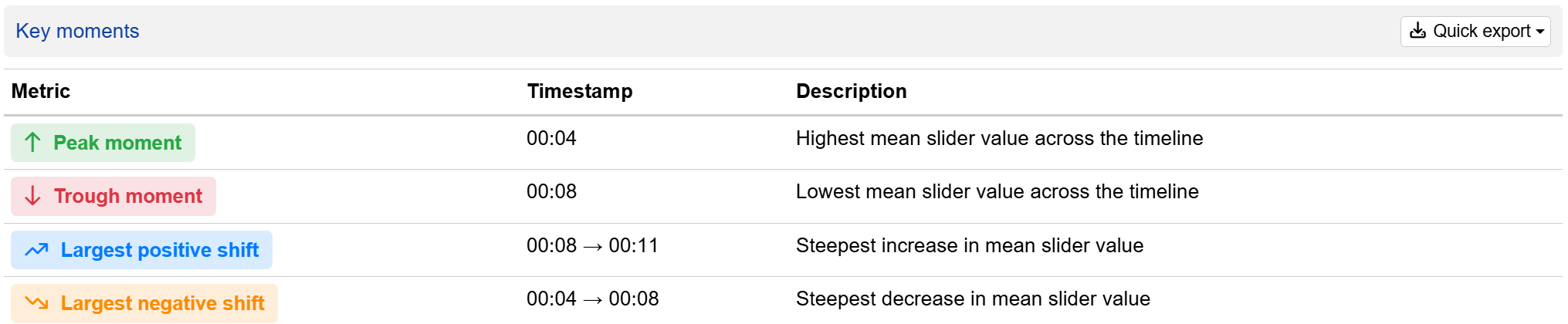
Summary of key moments
The Key Moments table automatically maps high and low points in audience sentiment to exact video timestamps. This helps you pinpoint exactly where content succeeded, where attention stalled, and where viewer sentiment shifted most sharply.
How to set up dial testing on Conjointly
You can add dial testing to any survey in a few steps. Start by adding the Dial testing question, then follow the setup guide below to configure your video media and slider controls:
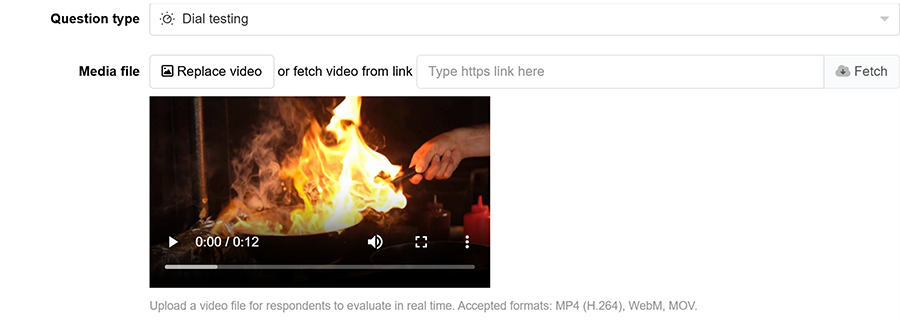
Step 1: Add your video
Easily upload a video in MP4 (H.264), WebM, or MOV format, up to 300MB and 20 minutes, directly from your device or web link.
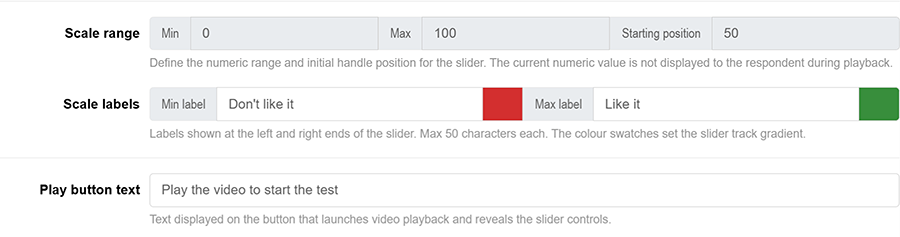
Step 2: Configure your slider labels
The slider uses an industry-standard continuous 0–100 rating scale and starts at a neutral 50, ensuring reliable, standardised insights across every test.
You can personalise track colours and labels, such as “Like it” or “Don’t like it”, to match your project style, as well as the play button text.
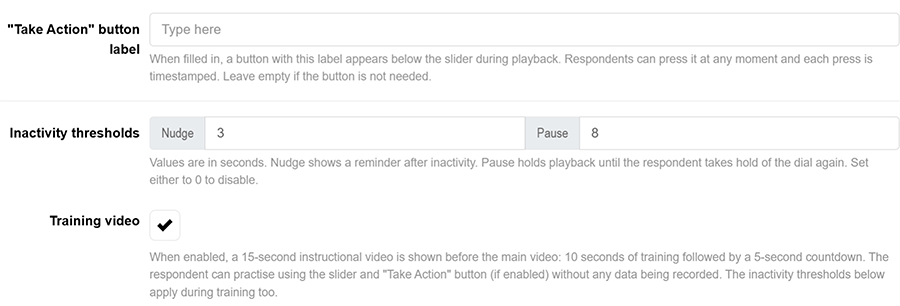
Step 3: Set up additional controls (optional)
Fine-tune how respondents engage with your dial test by setting up custom action buttons and smart controls:
- “Take Action” button label: Add an optional custom action (e.g., “Reserve now”) below the dial. Every tap creates a discrete timestamped log alongside the respondent’s continuous sentiment ratings.
- Inactivity thresholds: Keep data reliable by setting up automated nudges and playback pauses (in seconds) to gently keep respondents engaged.
- Training video: Enable an optional 15-second practice clip, so participants can test the controls before their official responses are recorded.

Step 4: Choose respondents
With access to millions of survey participants worldwide, Conjointly offers high-quality sampling options to suit your needs. You can also bring your own respondents. Once you are ready, preview the survey as a participant before launching it to your target audience.
FAQs
What devices and browsers does dial testing work on?
The Conjointly participant interface is fully responsive across all modern desktop, tablet, and mobile browsers. Touch-optimised controls ensure mobile respondents deliver the exact same slider precision as desktop users.
Can I combine dial testing with other question types?
Yes, completely. Mix dial testing with open-ended feedback, multiple-choice questions, or advanced methodologies to get the complete story behind your video performance.
What happens when a respondent lets go of the slider?
If a respondent lets go of the slider, a gentle on-screen prompt appears. If they remain inactive, the video pauses and automatically resumes as soon as they re-engage. This serves as a quality measure rather than a penalty; responses are never discarded or flagged as invalid due to a pause.
Can I change the video after my experiment launches?
To preserve data integrity and ensure consistent comparisons across all respondents, video files are locked once a test goes live. However, you can update slider labels, colours, and display settings at any time during data collection.
What is the difference between this tool and Conjointly’s managed dial testing solution?
Both options deliver high-quality, continuous viewer feedback. The choice depends on your preferred level of support. Our self-serve tool gives you complete speed and flexibility to build, launch, and analyse studies independently.
For custom dial testing solutions, Conjointly’s research experts handle the end-to-end execution from tailored study design to reporting, delivering board-ready insights.