Team Managers
The Team Manager role is a specialised user role designed for large, multi-team organisations. It goes beyond standard team structures, giving specific users delegated authority to oversee and manage more than one team.
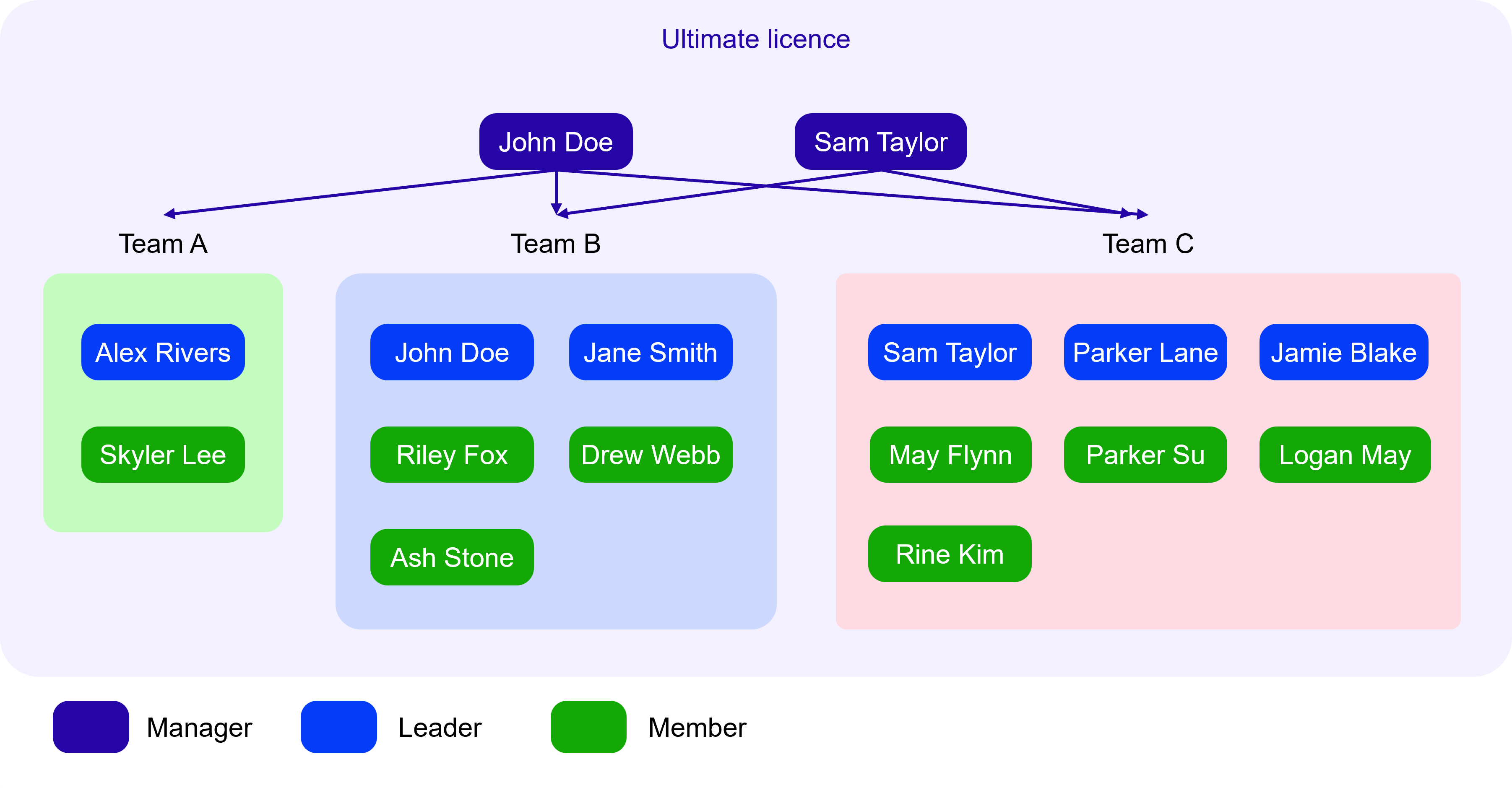
A Team Manager can be assigned to multiple teams, and a team can have multiple Team Managers as well. This enables organisational oversight while maintaining flexible team structures.
The actions a Team Manager can perform are configurable and typically include:
- Manage the list of users (i.e. disable users, toggle their leader/member role)
- Manage team settings
- Split a team member into a separate team
- Merge two managed teams
- View the list of experiments and audiences
- Obtain access to any experiment or audience that belongs to their managed teams
- View team balances
- View and download invoices
- View the list of payment methods
Restructuring managed teams
Team Managers can reshape the teams they manage in two ways. Both actions change team membership and access, so review what happens before you confirm.
Split a member into a separate team
Use a split when one member should sit in their own team. The control is on the team members page for any team you manage.
When you split a member out:
- A new team is created containing that member, with the team name you set.
- The new team is automatically managed by the same Team Manager(s) as the original team.
- Currency, country and company name are copied from the original team. The new team starts with a zero balance.
- The member loses access to the original team’s shared experiments and audiences, unless they were granted access individually.
Merge two managed teams
Merge two teams from the managed teams page by dragging one team row onto another. The team you drag is the source. The team you drop onto is the destination that survives.
Please note that merging is permanent and cannot be undone. To prevent accidental merges, you must type Confirm in the confirmation window before the action runs.
When you merge two teams:
- The source team is merged into the destination team and is then deleted.
- All members of the source team join the destination team as regular members, not leaders.
- The balance, invoices, experiments and audiences of the source team move to the destination team.
- Any active auto-recharge or recurring balance top-up on the source team is removed.
Want to learn how Team Managers could be used to help organise your team? Book a call to learn more.
Managing tagged experiments for managed users
As a Team Manager, if you want to help your users organise their experiments using tags, you can make use of the following workflow:
- Create a new tag for yourself
- Share this tag to the user you want to help (adding them as a “co-owner” to the tag)
- Enter the user’s experiments page, where you can then manage the tag and its associated experiments. Specifically, you can share, rename, delete the tag, and drag-and-drop experiments onto this tag.