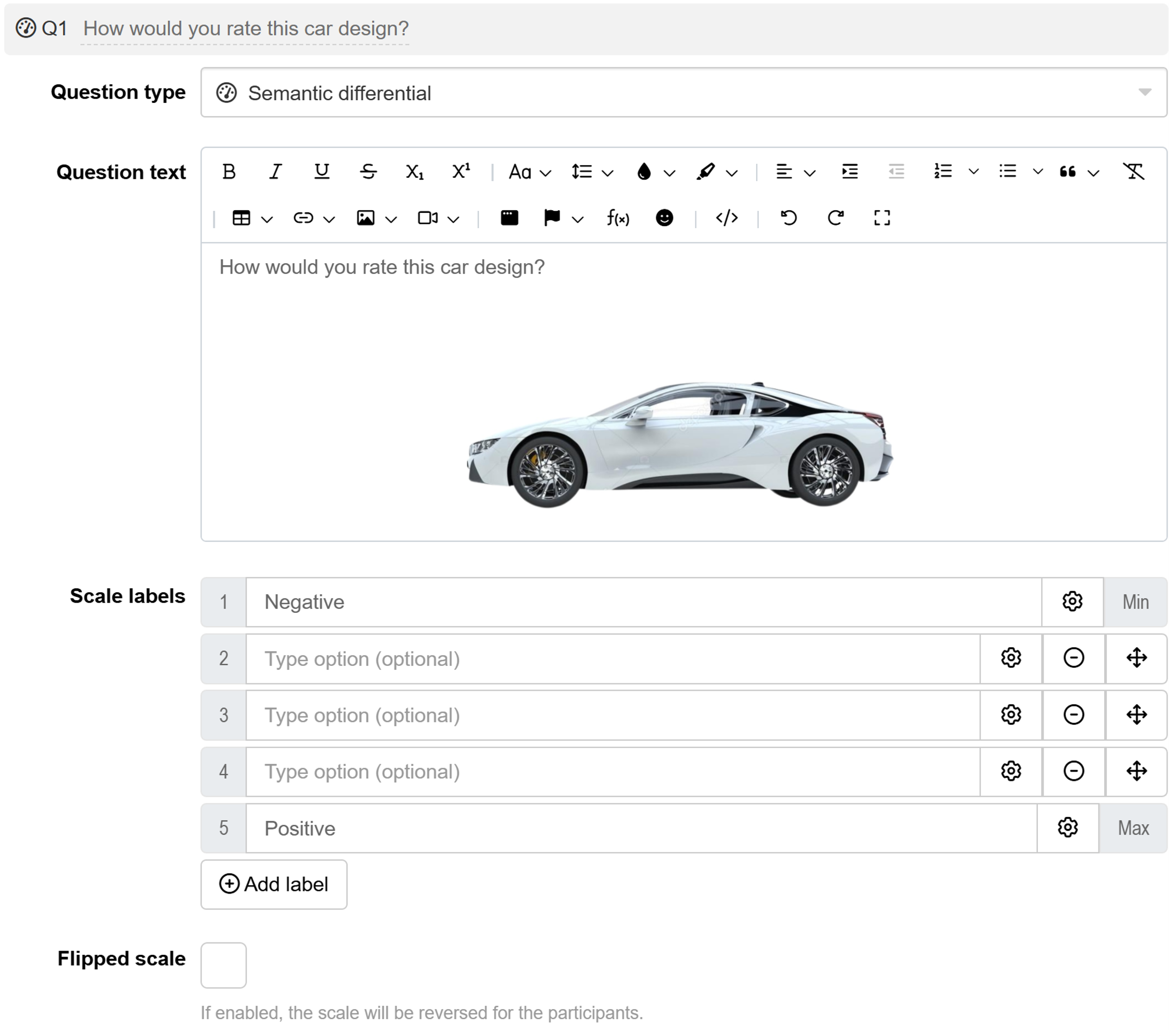
Semantic differential question
Semantic differential questions ask respondents to rate a subject using a bipolar scale that ranges between two opposing adjectives (e.g., Positive ↔ negative). This approach measures both the direction and intensity of respondents’ attitudes within each bipolar dimension.
Psychologists and market researchers have long used semantic differential scales to explore attitudes and emotional responses across diverse applications, including brand perception mapping, customer experience studies, political polling, concept testing, and program evaluation.
Commonly used bipolar adjective pairs include:
- Positive ↔ Negative
- Active ↔ Passive
- Strong ↔ Weak
- Modern ↔ Traditional
- Affordable ↔ Premium
- Happy ↔ Sad
- Easy ↔ Difficult
Semantic differential is best suited for exploring the subjective judgement between opposing concepts. If you’re measuring attitudes on a single dimension (unipolar), use Likert scales instead.
Respondent view
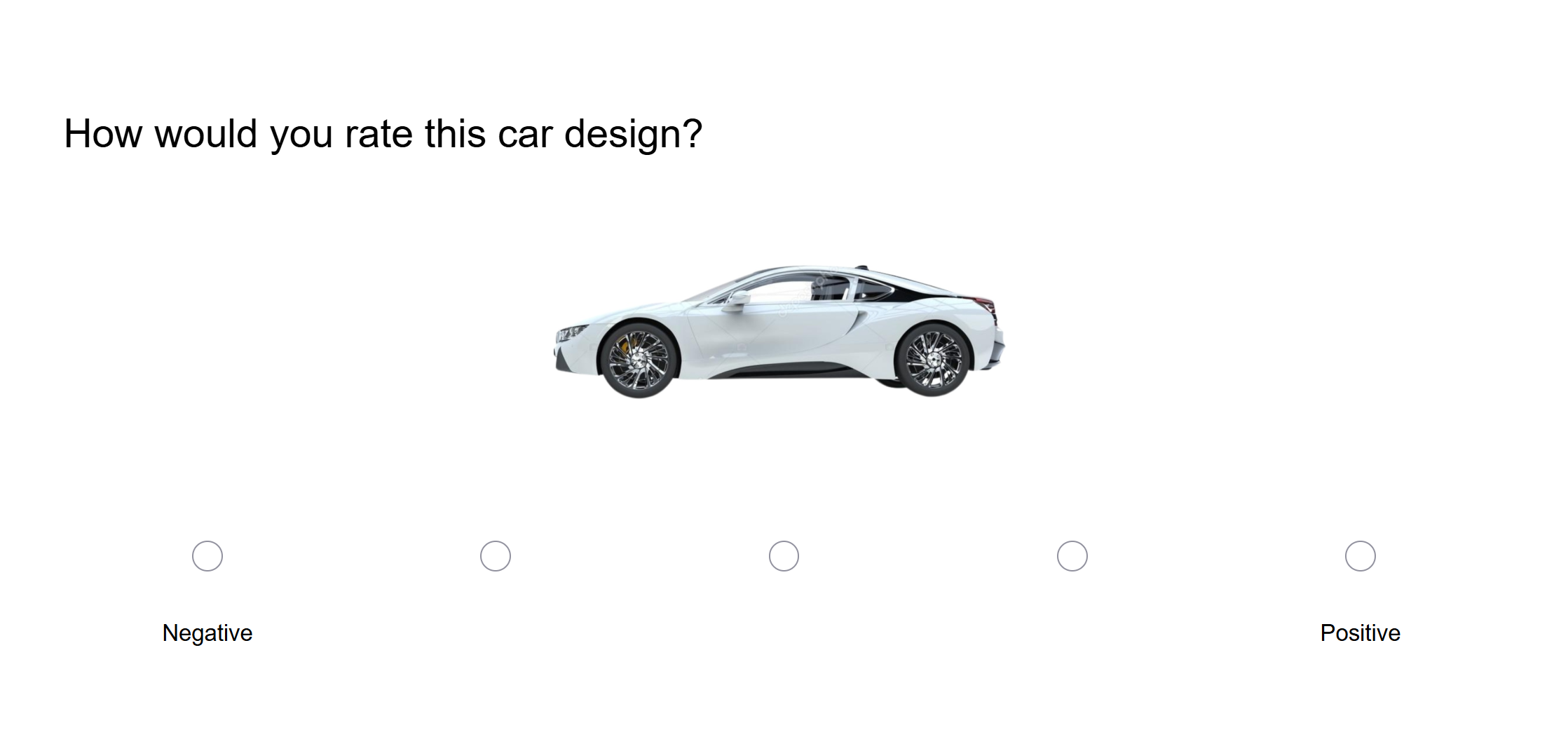
Semantic differential question outputs
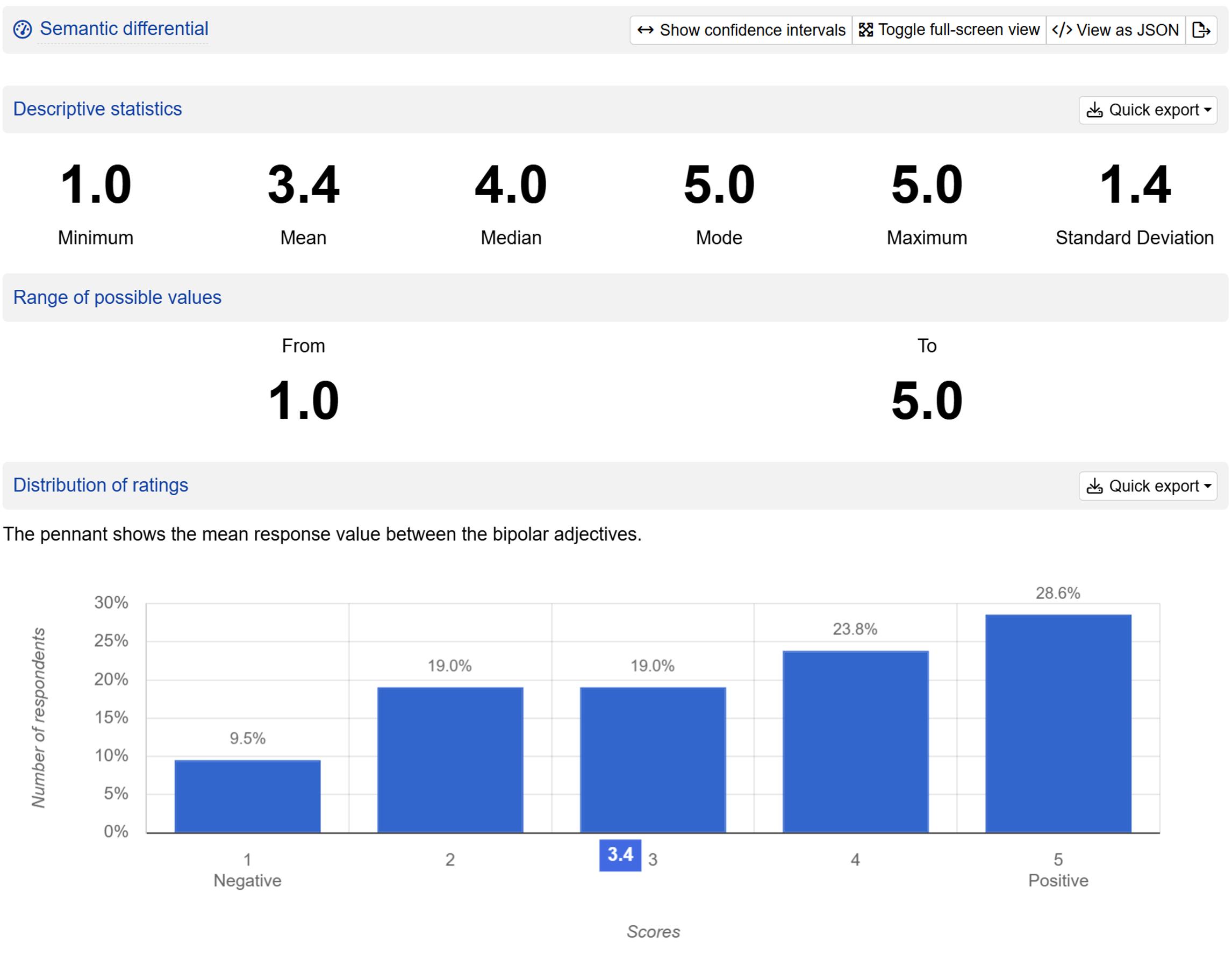
Semantic differential questions produce the following outputs:
- Descriptive statistics including minimum, mean, median, mode, maximum, and standard deviation for the responses.
- The range of possible values.
- The histogram of distribution of ratings.
- The number of participants who saw the question.
Setting up a Semantic differential question
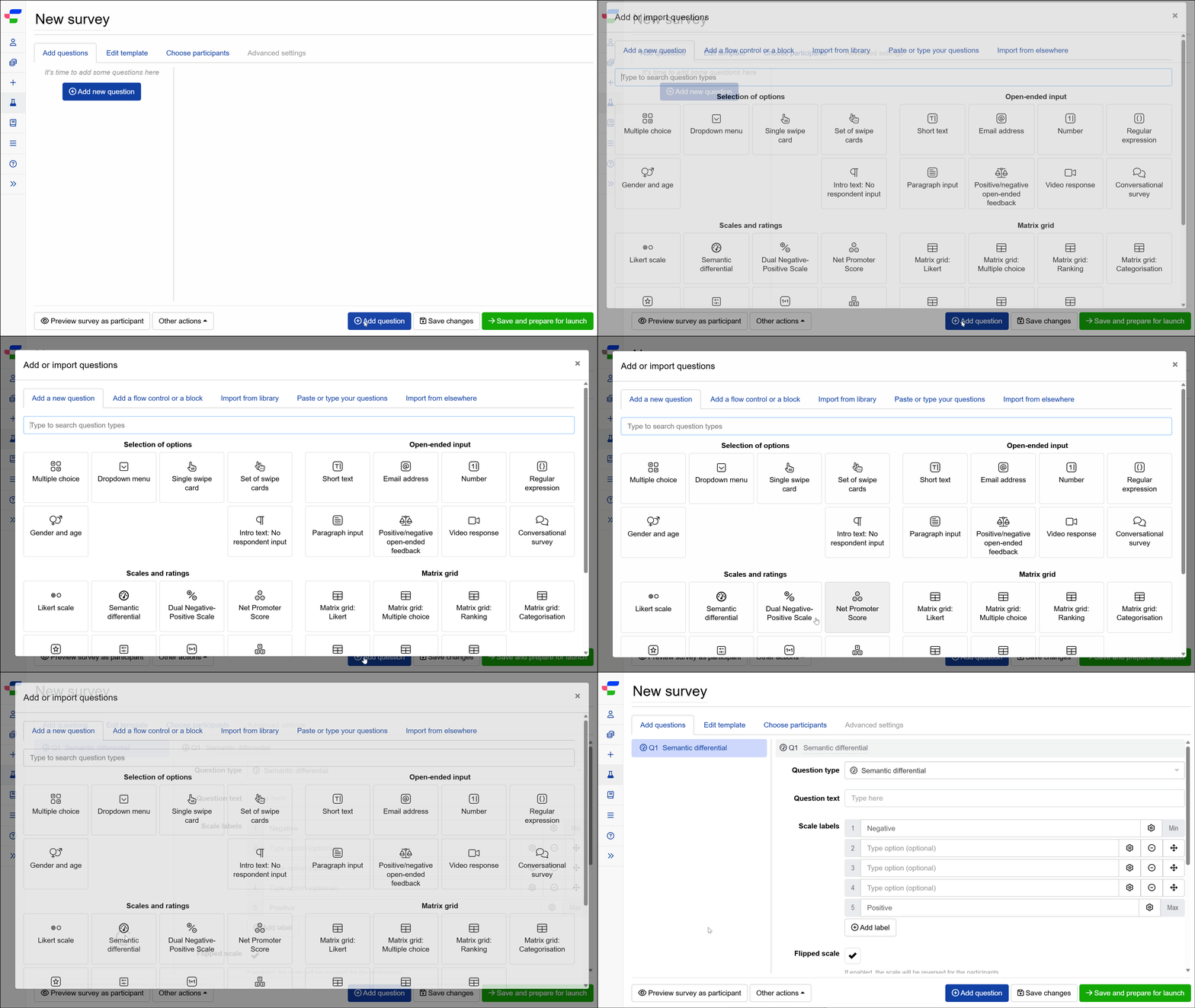
Follow these steps to set up a Semantic differential question:
1. Add question
Navigate to the Add questions tab and click on the button at the bottom of the page.
On the Add or import questions pop-out, select the Add a new question tab and click on the question card to add it to the experiment.
2. Edit question options
Once you add the question, you can adjust the following settings:
- Insert the question text in the text box. You can also include formatting and images.
- Edit the labels for the minimum and maximum ratings. You may also specify intermediate labels.
- Adjust the number of scale points by adding or reducing labels between the minimum and maximum ratings.
- Tick the flipped scale checkbox to show participants a reverse scale.
- Tick the required question? checkbox if you would like respondents to answer this question before proceeding further.