Open-end pattern analysis
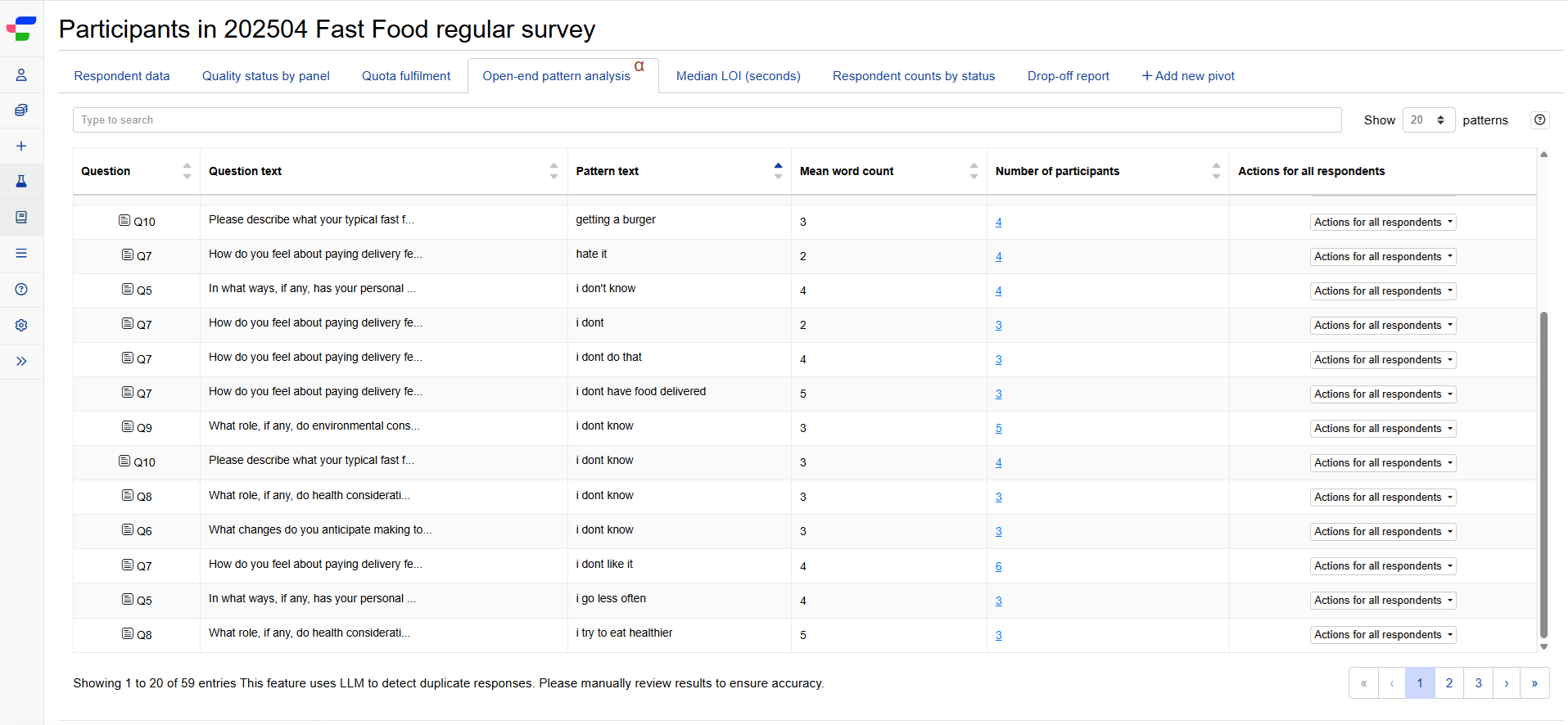
You can run the Open-end pattern analysis from the tab on your Participants page to automatically group duplicate responses, making it easier to review and decide which participants to include or exclude from your analysis.
How it works
The feature uses large language models to examine open-ended responses across your survey participants. It can catch both:
- Short, common responses like “No”, “Nothing to add”, or “None”, which are often innocuous.
- Longer, detailed responses that are identical, near-identical, or suspiciously connected across multiple distinct participants, which may indicate non-genuine responses.
The main table displays each flagged pattern with:
- Question where the pattern was detected
- Pattern text (the duplicated response)
- Word count
- Number of participants who gave this response
- Actions to review, include, or exclude affected respondents

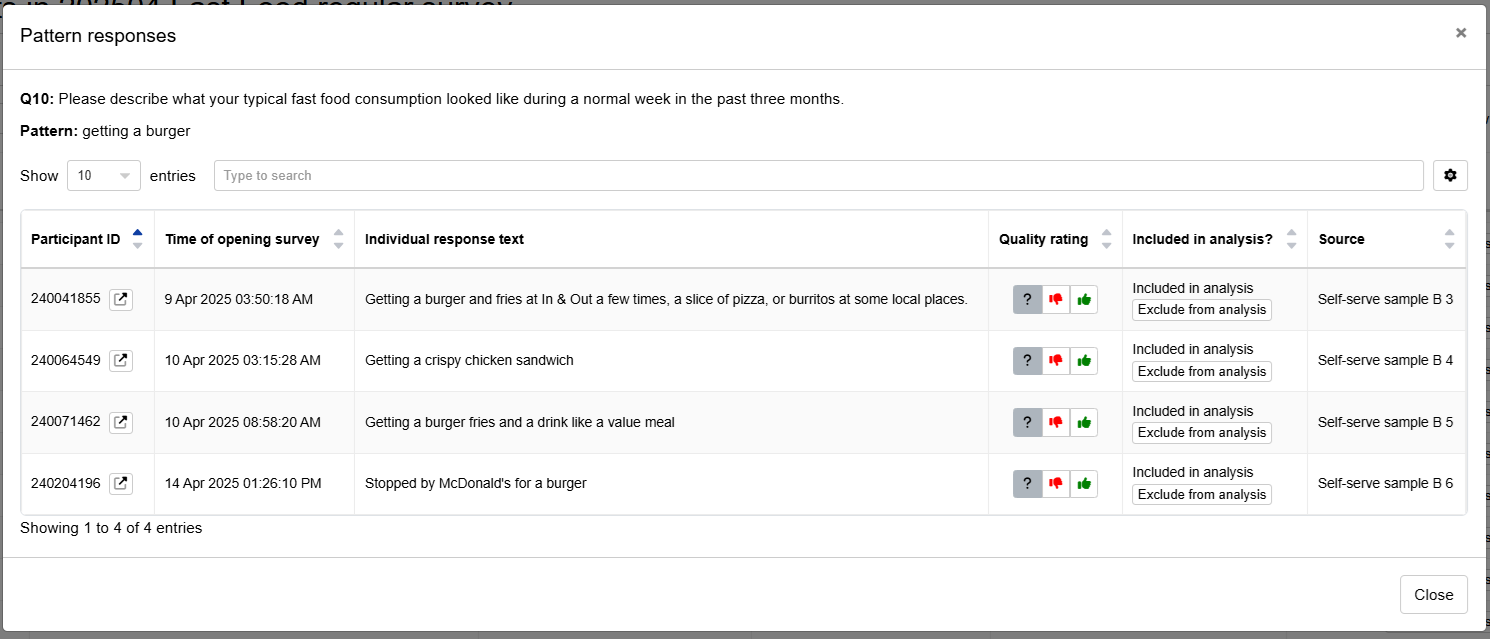
Click on the number of participants for a detailed view of each respondent who provided that duplicated response. You can review their individual response text, quality rating, and inclusion status, then exclude specific participants from your analysis if needed.
When this feature is available
The Open-end pattern analysis tab is available when your experiment meets the following requirements:
- You have a Conjointly licence
- Your experiment has at least 10 completed responses
- Your experiment includes at least one of these question types:
- Paragraph input
- Email address
- Regular expression
- Short text
- Multiple choice (“Other” option responses)
- Dropdown menu (“Other” option responses)
- Positive/negative open-ended feedback
- Image heatmap
- Text highlighter
- Conversational survey
- Video response
- Your team has not disabled LLM features in team settings