Recall test
You can measure how well respondents remember a brand, product, or concept shown earlier in your survey with the Recall test question. Respondents type what they recall, and their answer is scored against a benchmark value that only you can see, using a Levenshtein distance (edit distance) score to grade how close the match is.
Conjointly recommends this question type for short recall answers (e.g. brand names, product names, or short phrases) rather than full sentences to ensure optimal data comparison.
Respondent view
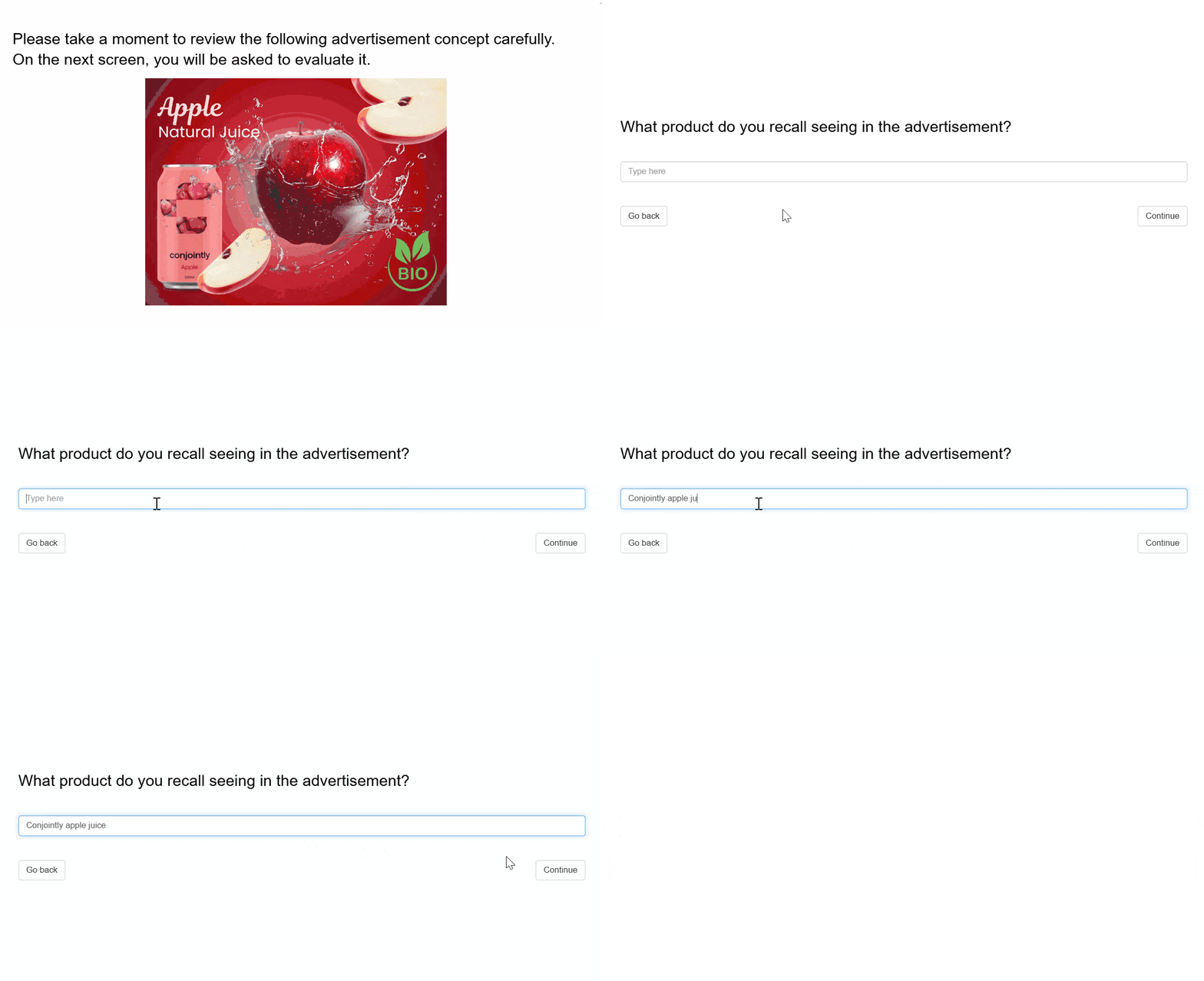
Recall test questions use a standard free-text interface like a standard Short text question, with no special formatting or file uploads required. You can evaluate any stimulus (e.g., product concepts, messaging, or pricing) by placing a question that displays the content prior to the recall test, or by including the question inside a monadic block.
The example below demonstrates this setup for an adcept evaluation, showing an Intro Text question used to display the ad before asking respondents what product they recall:
Recall test question outputs
Each Recall test question adds descriptive statistics and a Levenshtein distance chart to your report, based on how closely each response matches your benchmark value.
How scoring works
The system evaluates responses using a standard, deterministic string-matching algorithm (Levenshtein distance), rather than AI or LLM grading.
Before calculating the score, the system normalises both the benchmark value and the respondent answer by converting all text to lowercase and removing extra whitespace, dots, and commas. This step ensures that minor typos or formatting variations do not unfairly lower a respondent score.
The algorithm then counts the exact number of character edits (insertions, deletions, or substitutions) required to transform the respondent entry into the benchmark text.
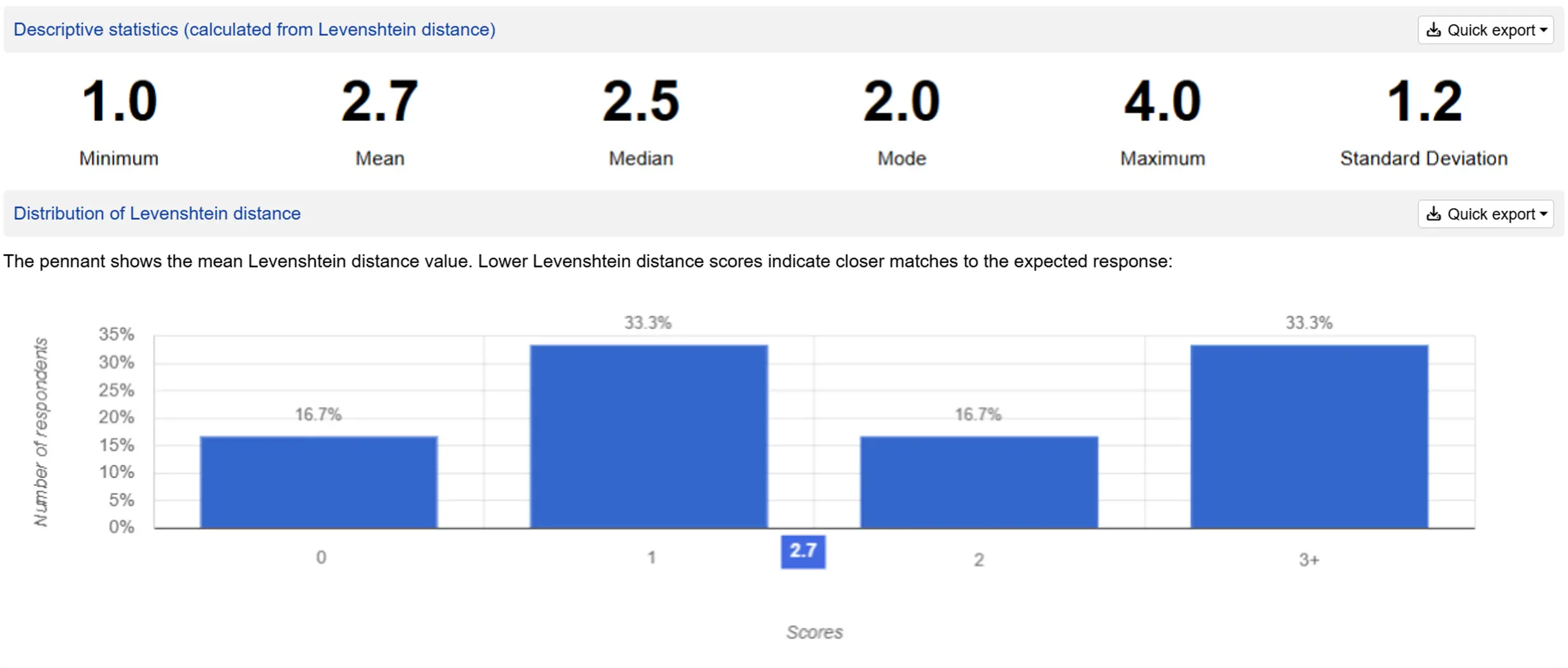
The chart groups responses into score bands with a pennant marking the mean score. Lower scores indicate closer matches:
- 0 (exact match)
- 1 (minor difference)
- 2 (minor differences)
- 3+ (major differences)
Example: Scoring in action
Suppose your benchmark brand is Snickers. Here is how the algorithm evaluates different respondent answers:
| Respondent answer | Score | Explanation |
|---|---|---|
| Snickers | 0 | Exact match after normalisation |
| SNICKERS | 0 | Converted to lowercase automatically |
| Snickers bar | 0 | Benchmark appears in full (extra words are ignored) |
| Snikers | 1 | 1 character edit (missing letter) |
| Snicker | 1 | 1 character edit (missing final “s”) |
| Sneakers | 2 | 2 character edits (substitutions) |
| Snacker | 2 | 2 character edits (1 substitution, 1 deletion) |
| Mars | 6 | Completely different brand |
| no idea | 6 | Non-answer or blank response |
How to interpret your results
When reviewing the score bands in your report chart:
- 0–1 (Successful recall): The respondent correctly recalled the target, accounting for minor typos.
- 2 (Borderline recall): A close attempt with multiple typos or structural variations.
- 3+ (Unsuccessful recall): Includes wrong brands, non-answers, and blank responses.
It is recommended to treat all scores of 3 and above simply as “did not recall”. There is no need to distinguish between different levels of inaccuracy within the 3+ band.
Comparing outputs across concepts or segments
To compare memorability across different creative concepts, messaging options, or target groups:
- Monadic concept tests: Compare the mean Levenshtein distance score reported in each monadic block. A concept with a lower mean score achieved stronger, more accurate brand/messaging recall among exposed respondents.
- Crosstabs: Compare the mean recall score across demographic or behavioural segments to identify which group recalled the content best.
These outputs are not available in TURF or Timeseries analysis, and they cannot yet be exported to PowerPoint.
Setting up a Recall test question
Follow these steps to set up a Recall test question.
1. Add question
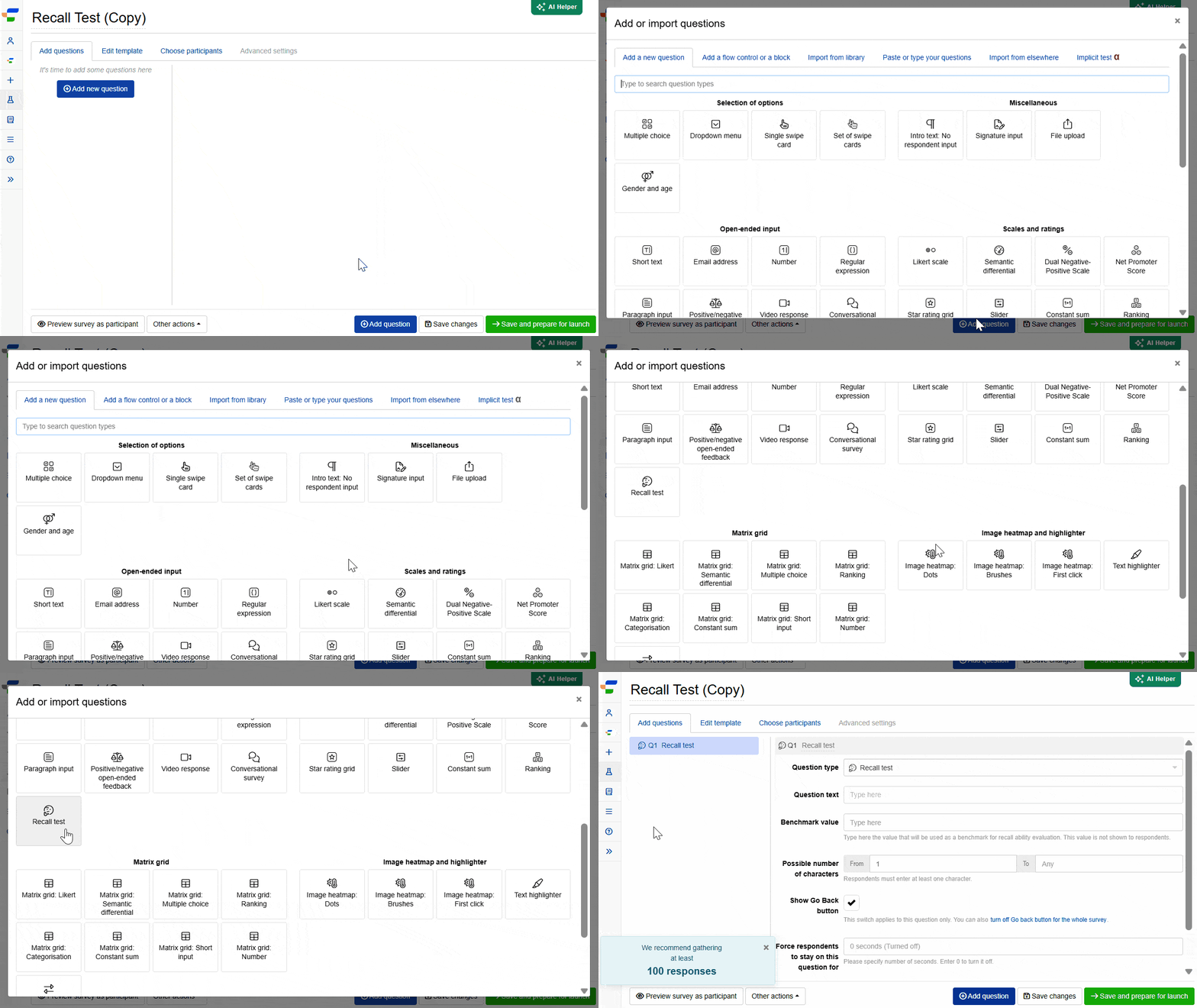
Navigate to the Add questions tab and click on the button at the bottom of the page.
On the Add or import questions pop-out, select the Add a new question tab, find Recall test under the “Open-ended input” group, and click on the question card to add it to the experiment.
2. Edit question options
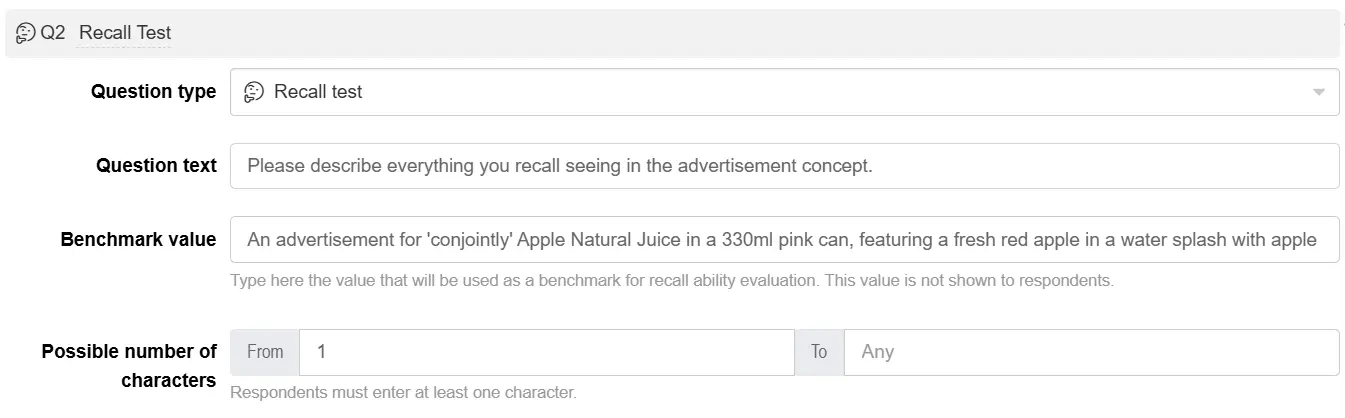
Once you add the question, you can adjust the following settings:
- Insert the question text in the text box. You can also include formatting and images.
- Enter the benchmark value, the text your respondents’ answers are scored against. This can be up to 1,000 characters and is never shown to respondents, only used to calculate their recall score.
- Set the possible number of characters respondents can enter using the From and To fields, to require a minimum answer length or cap it.
If you’re using this question inside a monadic block, you can insert a [View] tag in the question text, and select a monadic view for the benchmark value as well. If the view you select for the benchmark value contains only an image with no text, you won’t be able to save your changes, since there’s nothing for the recall score to compare against.
Once the survey is live, you can still edit the question text, benchmark value character limits, and other settings, but the benchmark value itself is locked and can’t be changed.
FAQs
Can this question be used for segmentation, weighting, or other analysis?
It works with segmentation and weighting, using operators such as equal, not equal, contains, and does not contain (case-sensitive and case-insensitive versions of each), alongside the standard shown/answered operators. It can also be referenced in continuous weighting schemes. It appears in crosstabs, showing the mean Levenshtein distance score across segments.
Does this question count toward duplicate response detection?
No. Recall test answers are excluded from duplicate response checks. Because respondents who correctly recall details will naturally enter similar or identical text, checking this question would risk flagging genuine, accurate responses as duplicates.
Can this question be added to a block?
Yes, to any block except Kano.