Quality assurance for Self-serve sample
Building on the How to Get Started with Self-Serve Sample guide, this guide covers the quality assurance options available from setup to completion when you use Self-Serve Samples A, B, and C.
Conjointly has achieved ISO 20252:2019 certification for Annex A (Sampling). This certification covers Predefined panels and Self-serve sample, confirming these meet international standards for rigour, transparency and ethical conduct.
Pre-launch preview and pilot test
Preview your survey as a respondent to check that functionality and user experience work as intended. Then launch a small pilot of 10 to 50 responses. This surfaces issues early, so you can refine targeting or survey elements before committing to full data collection.
Automated quality checks during data collection
During data collection, all Self-serve sample responses undergo the same automated quality checks and are flagged for manual review as needed.
Respondents are automatically marked as low quality if any of the following signs are detected:
- Avoidance of network detections (when respondents deliberately block Conjointly’s network detection systems, indicating potential intent to circumvent the quality control measures in place).
- Quick completion of the full survey (e.g. within 20 seconds).
- Rapid selection of conjoint choice sets (e.g. within 1 second).
- Presence of a mouse on the device, but no mouse movement is detected.
- Lack of scrolling when it’s needed to read the full question.
- Submission of unusual answers in open-ended questions.
- Any violation of your enabled response quality management options.
Additionally, the system will automatically remove participants with 70% duplicated open-ended answers.
Manual review options during data collection
The Quality Checker gives you real-time visibility into your response quality during data collection, so you can optimise your survey performance and data reliability whenever you want. Two review options sit on top of the automated checks.
Checking flagged responses
When responses are automatically flagged as low quality, each comes with a specific reason tag. Use this information to spot patterns and identify potential improvements to your survey setup.
High volumes of flagged responses are uncommon. When they occur, typical underlying factors include:
- Survey design elements like question clarity or instruction flow.
- Targeting criteria that may not match your intended respondent profile.
- Technical factors such as display or navigation issues.
You can pause data collection to make adjustments, or continue collecting while monitoring exclusion rates to keep them within acceptable bounds for your target sample size.
Reviewing included responses
Beyond the automated checks, you can manually review responses that passed initial screening, for an extra layer of control tailored to your research requirements.
Areas you might examine include:
- Response consistency across related questions.
- Open-ended response quality and relevance.
- Alignment between responses and your screening criteria.
- Response patterns that could indicate systematic issues.
Manual review can surface patterns that inform adjustments to survey design or targeting, for this study and future ones.
Reconciliation and billing
With Self-serve sample, you can pause the data collection when you need to make any necessary adjustment. Once the data collection is paused, it cannot be reactivated or continued.
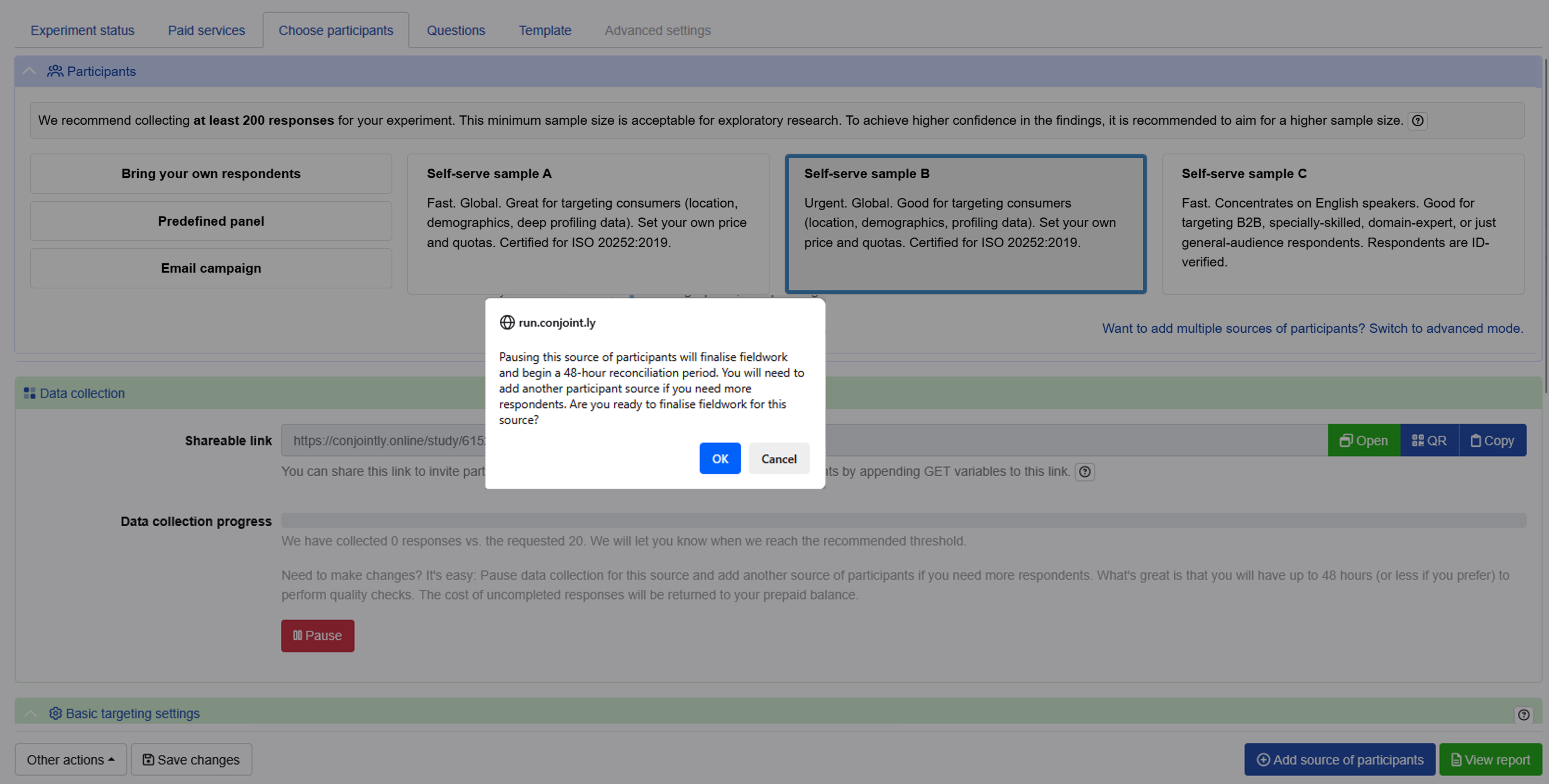
For Self-serve sample A, B and C, a reconciliation period of 48 hours automatically begins when your data collection is completed or paused. You will receive an email notification from Conjointly confirming the start of the reconciliation period.
During this period, you can perform quality checks on collected responses.
At the conclusion of the reconciliation period, or if you choose to complete reconciliation early, you can click Complete reconciliation.
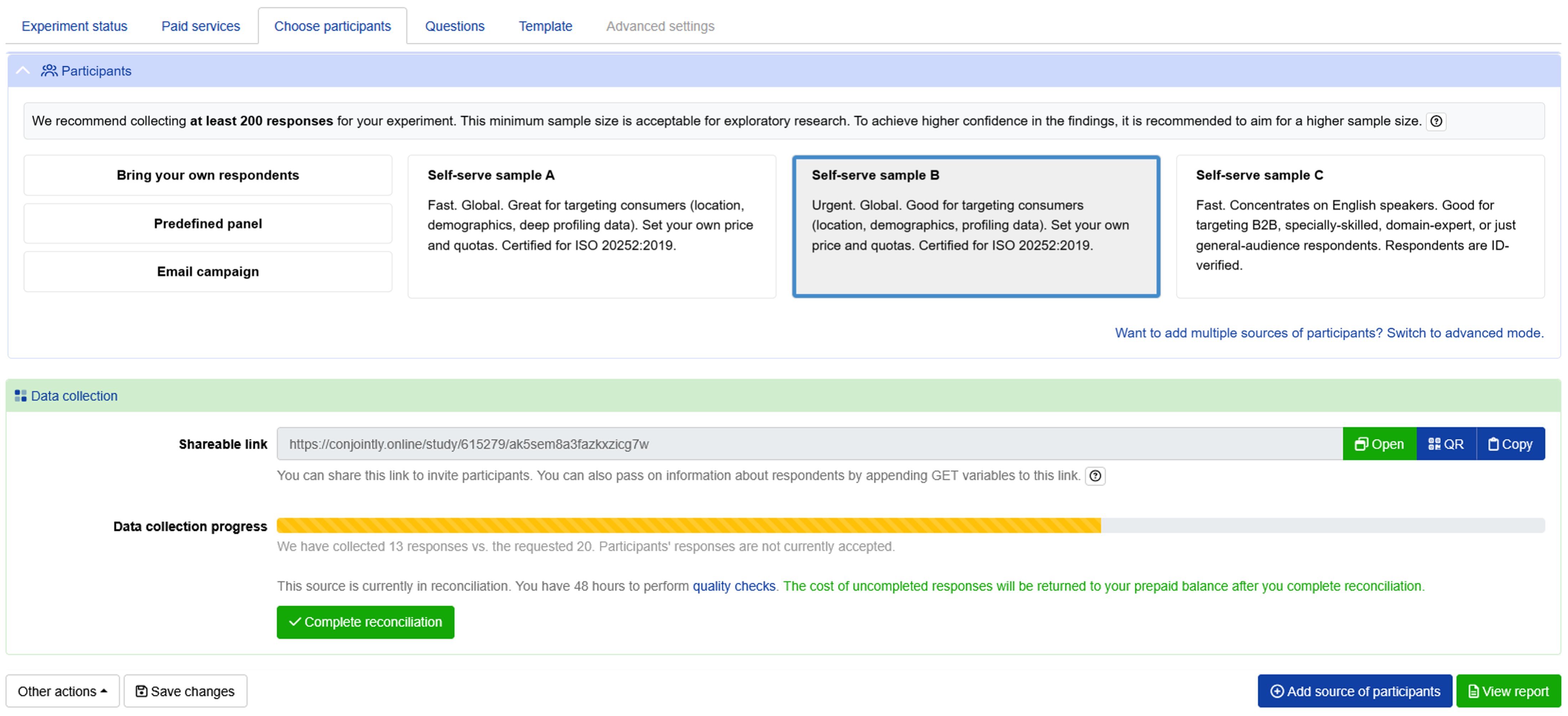
Once reconciliation is completed, respondents cannot be included or excluded from analysis, and your proforma invoice will convert to final billing. Credits for any incomplete responses are automatically returned to your prepaid balance.
You can use the credits freed up from excluding low-quality responses to launch a new data collection, ensuring you receive the required number of responses for your research.
If you require highly specific sample criteria or prefer professionally hand-checked responses, Conjointly’s Predefined panels offer comprehensive quality assurance with dedicated research team oversight.