Partial profile conjoint analysis
Partial profile conjoint lets you show each respondent only a subset of your attributes in each choice set. This approach is especially useful when you are testing many attributes, where it avoids respondent cognitive overload and keeps data quality high.
How to set up a Partial profile conjoint study
Check out the video below for a quick walkthrough of how to set up a partial profile conjoint study.
Standard vs. “partial profile” conjoint analysis
In standard conjoint analysis, also called “full profile conjoint”, every option in every choice set shows all of your attributes at once. Partial profile conjoint shows each respondent only some of those attributes in any given set, and the ones on display change from set to set.
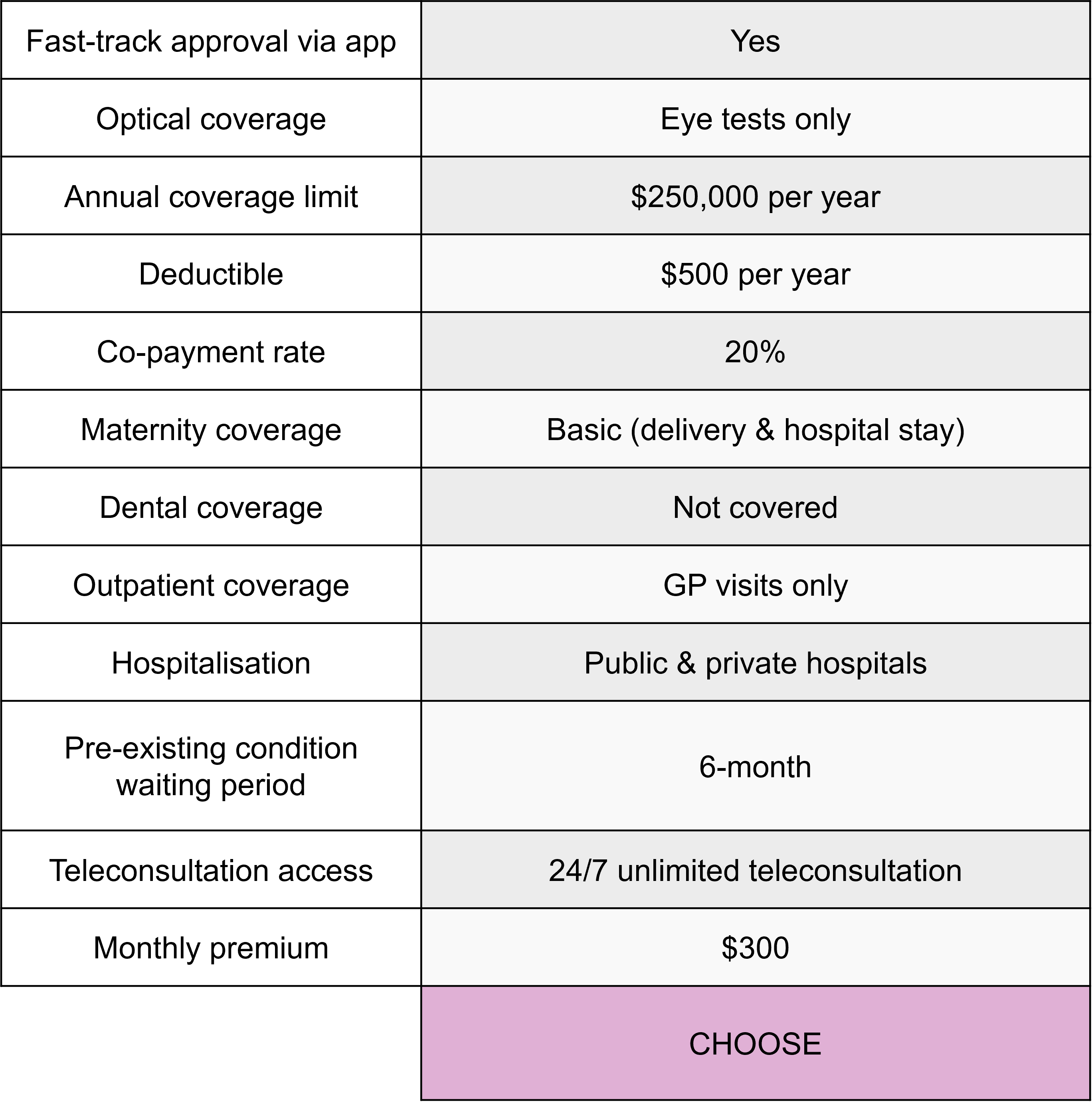
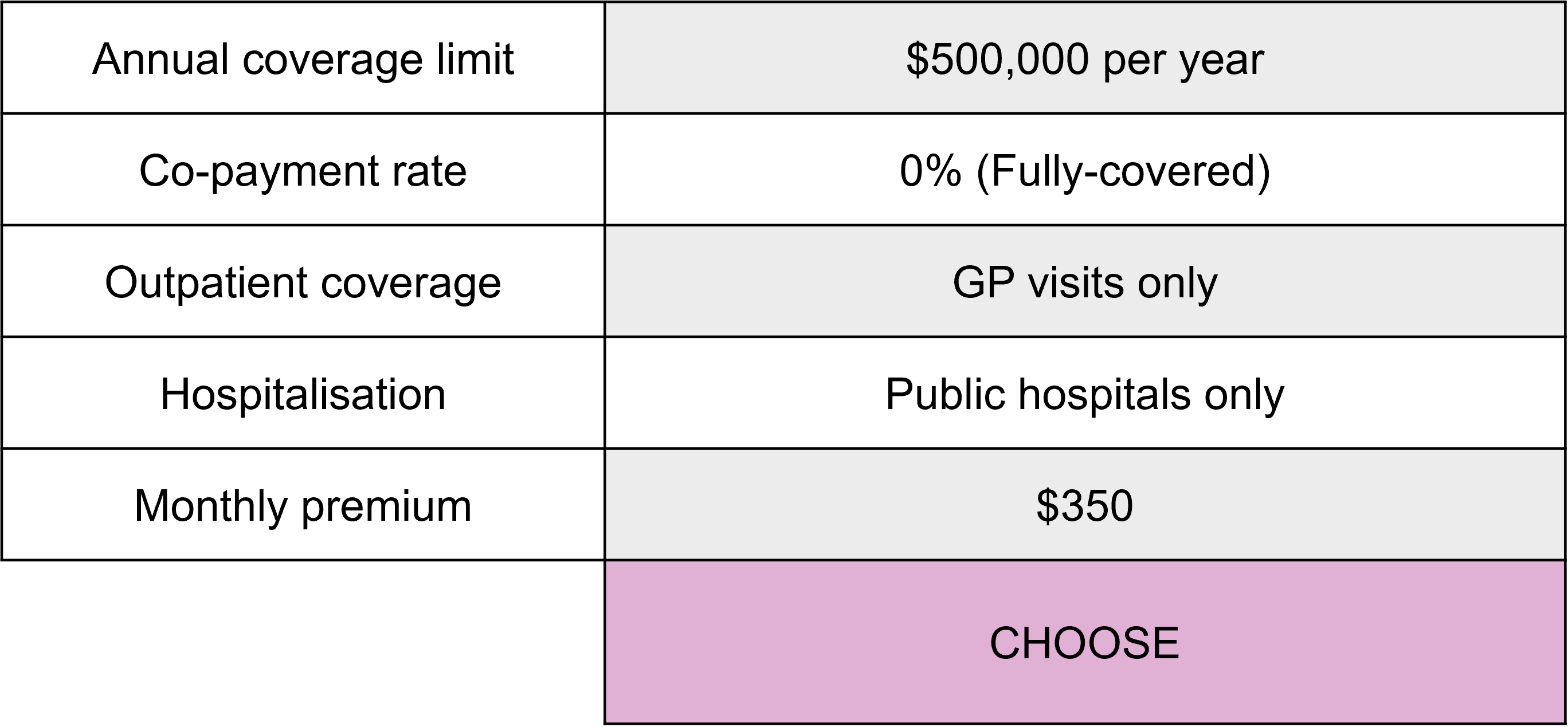
The examples below show a full profile and a partial profile choice card for a health insurance package with 12 attributes.
Full profile choice card example
Shows 12 attributes at once
Partial profile choice card example
Shows a rotating subset of five attributes
The difference matters because of how people make choices. When a choice card lists every attribute, respondents can compare options much as they would in real life, but there is a risk of cognitive overload when too many features are weighed at once.
Partial profile displays a small subset of attributes on rotation, keeping each choice option easy for respondents to evaluate while still covering all the attributes you want to test.
When should you choose full profile or partial profile conjoint?
Choose full profile when your attribute list is short enough that respondents can evaluate every attribute on each card comfortably.
Partial profile is the better fit when you have more key attributes than a person can meaningfully compare at once, usually seven or more. Seven is not a hard limit, it also depends on how many levels each attribute has and how much descriptive text each one carries.
What are example use cases for partial profile conjoint?
Partial profile conjoint is commonly used for evaluating offerings that involve many attributes that matter to the decision, such as:
- Feature-rich technology products
- Financial products with many terms and conditions
- Detailed service packages
What do respondents see in partial profile conjoint?
In each choice set, the respondent sees only a fixed, smaller number of your attributes (K), not the full list (N). The experimental design rotates which attributes appear from one set to the next. Over all the questions, each attribute is shown a similar number of times, so every one is measured even though no single card shows them all.
Here is how the rotation looks with six attributes and three shown per set.
| Attr 1 | Attr 2 | Attr 3 | Attr 4 | Attr 5 | Attr 6 | |
|---|---|---|---|---|---|---|
| Set 1 | ✓ | ✓ | ✓ | |||
| Set 2 | ✓ | ✓ | ✓ | |||
| Set 3 | ✓ | ✓ | ✓ | |||
| Set 4 | ✓ | ✓ | ✓ |
In this example, every attribute appears three times across the four choice sets, and pairs of attributes appear together often enough to estimate how they relate.
Set-up
Partial profile conjoint is available for Generic Conjoint experiments, including MaxDiff. It is not available with anchored utility modelling.
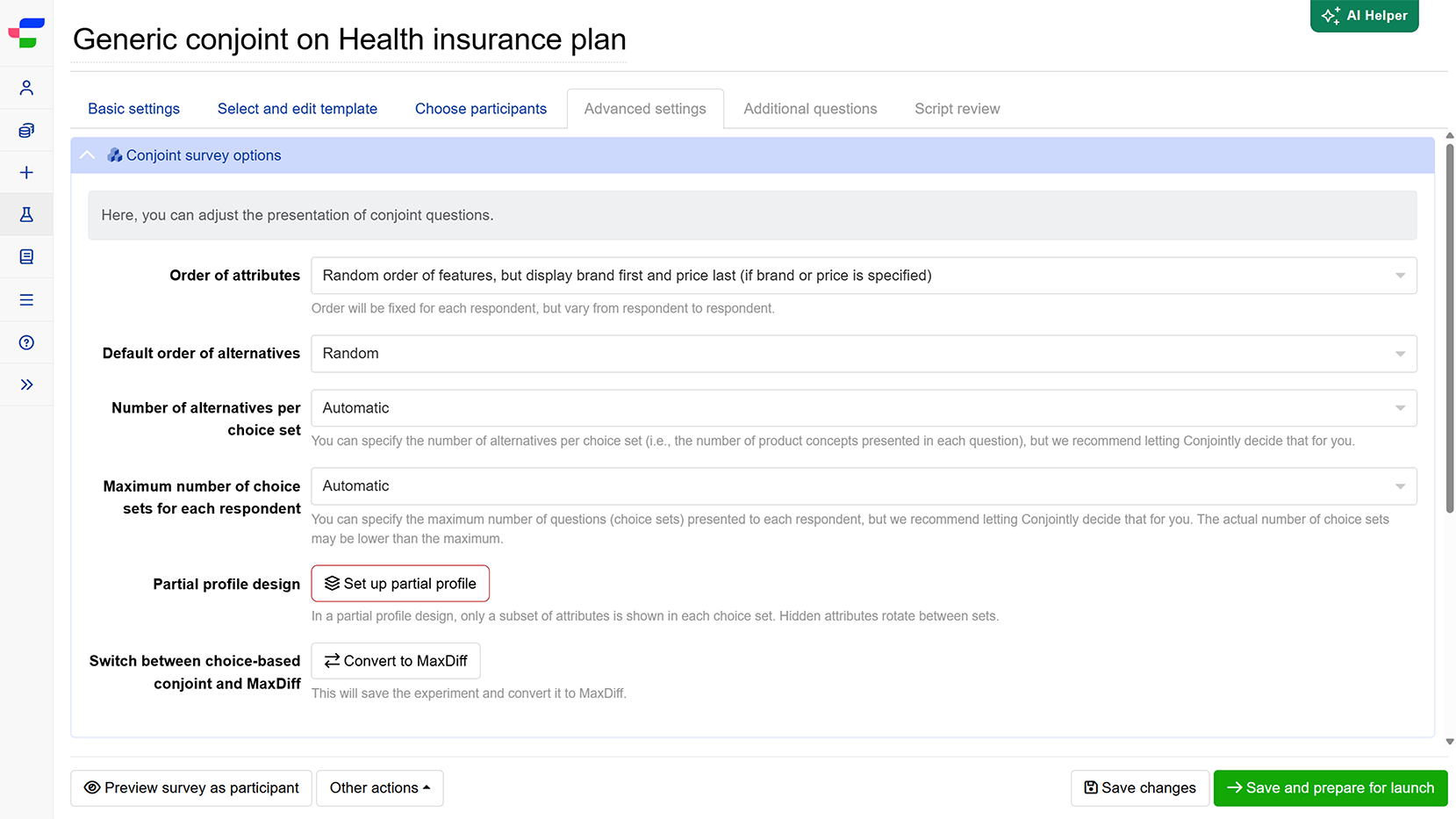
Step 0. Open the setup wizard
- In your experiment, go to the Advanced settings tab and open the Conjoint survey options module.
- Click on the button.
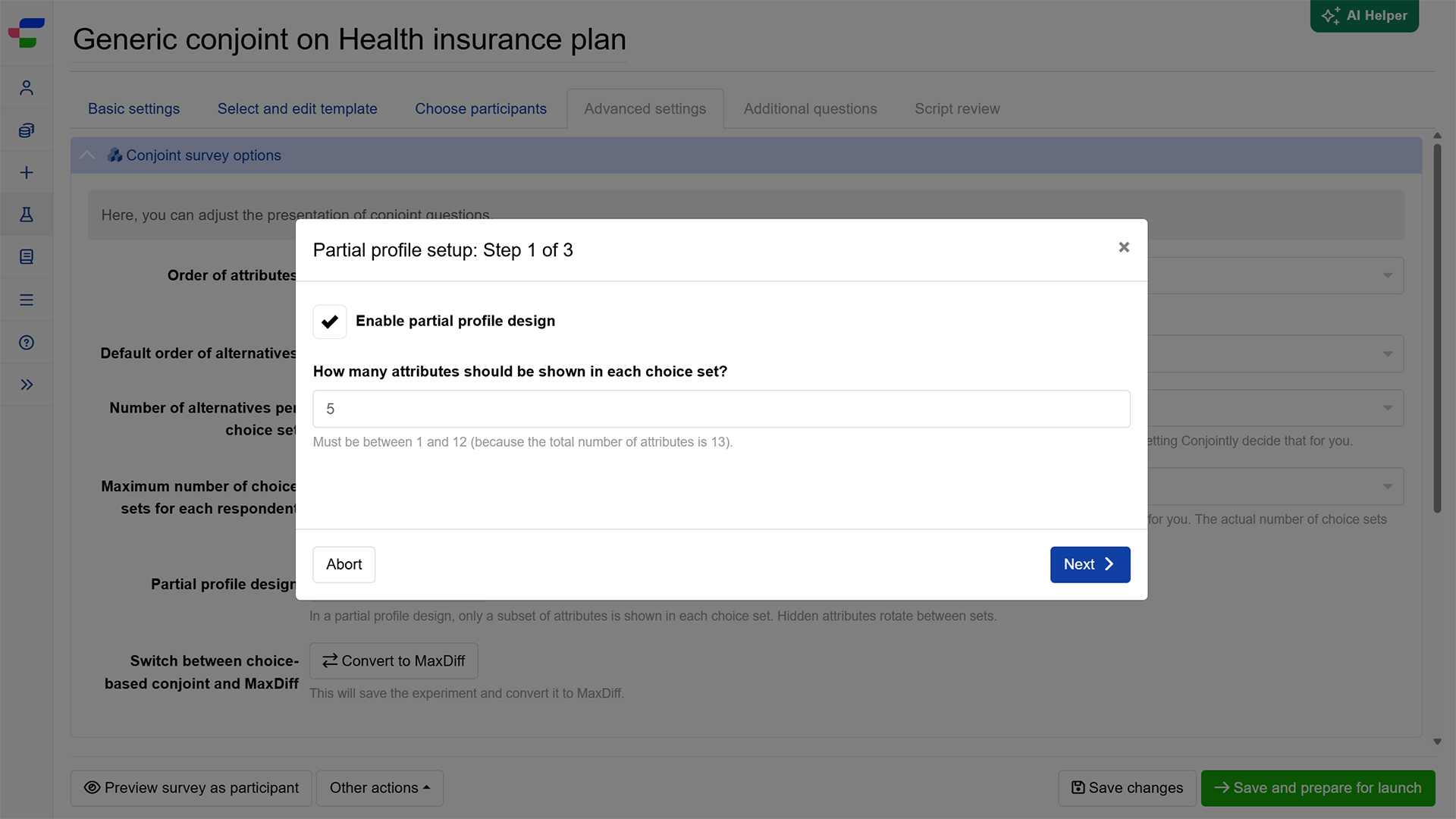
Step 1. Enable and choose how many attributes to show
- Tick the check box next to Enable partial profile design.
- Set how many attributes appear in each set. It must be at least 1 and no more than one below your total number of attributes.
- Any attribute you have set to “Do not display this attribute at all” is excluded from partial profile and does not count towards that total.
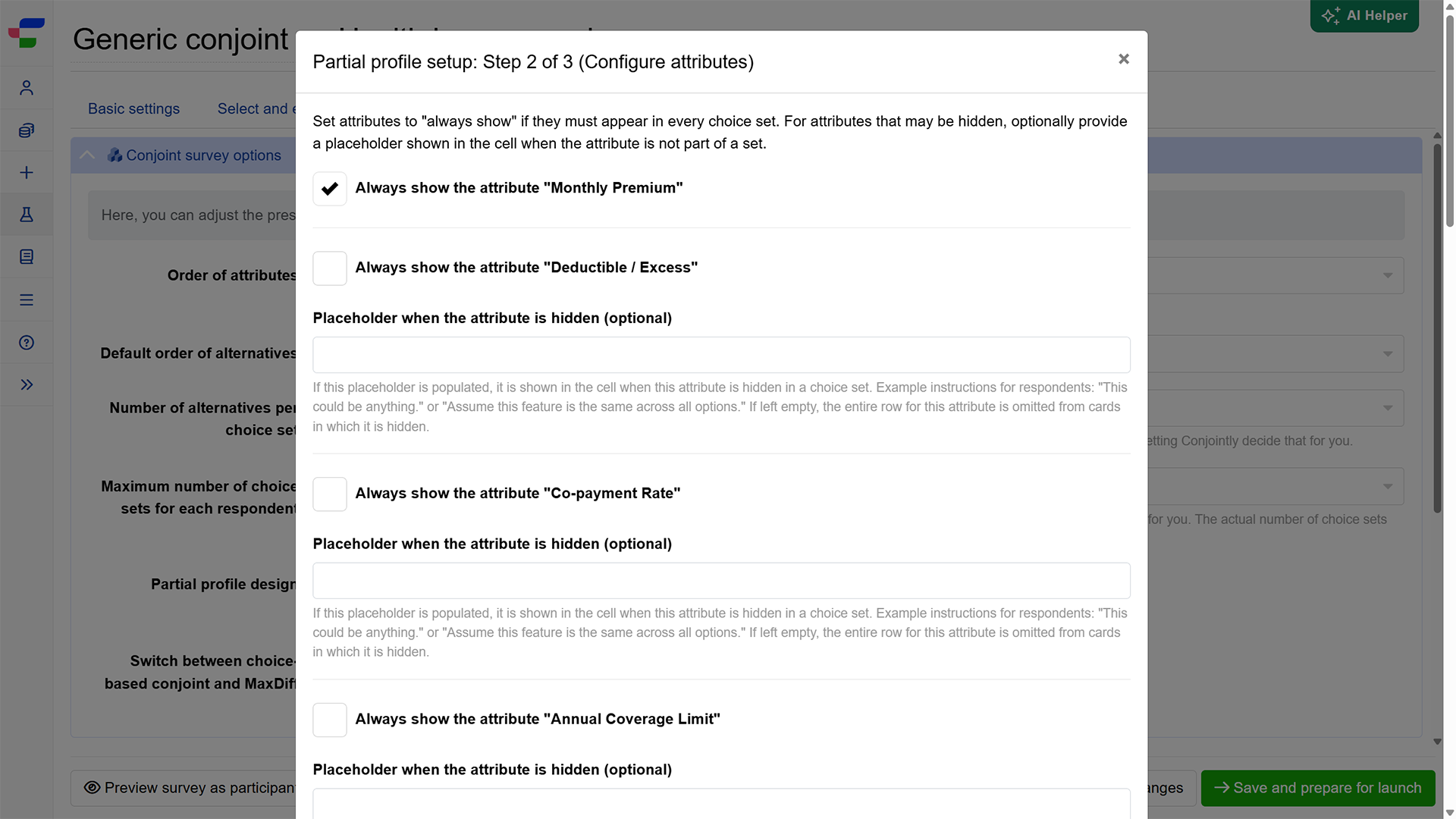
Step 2. Configure each attribute
You will see the full list of attributes here. For each attribute you can:
- Tick Always show to pin it so it appears in every set. Keep the number of pinned attributes below the number shown per set.
- Add a Hint when hidden note (optional). This text appears on cards where the attribute is not shown, telling the respondent its value is unspecified for that comparison. Leave it blank, and the attribute simply does not appear on those cards.
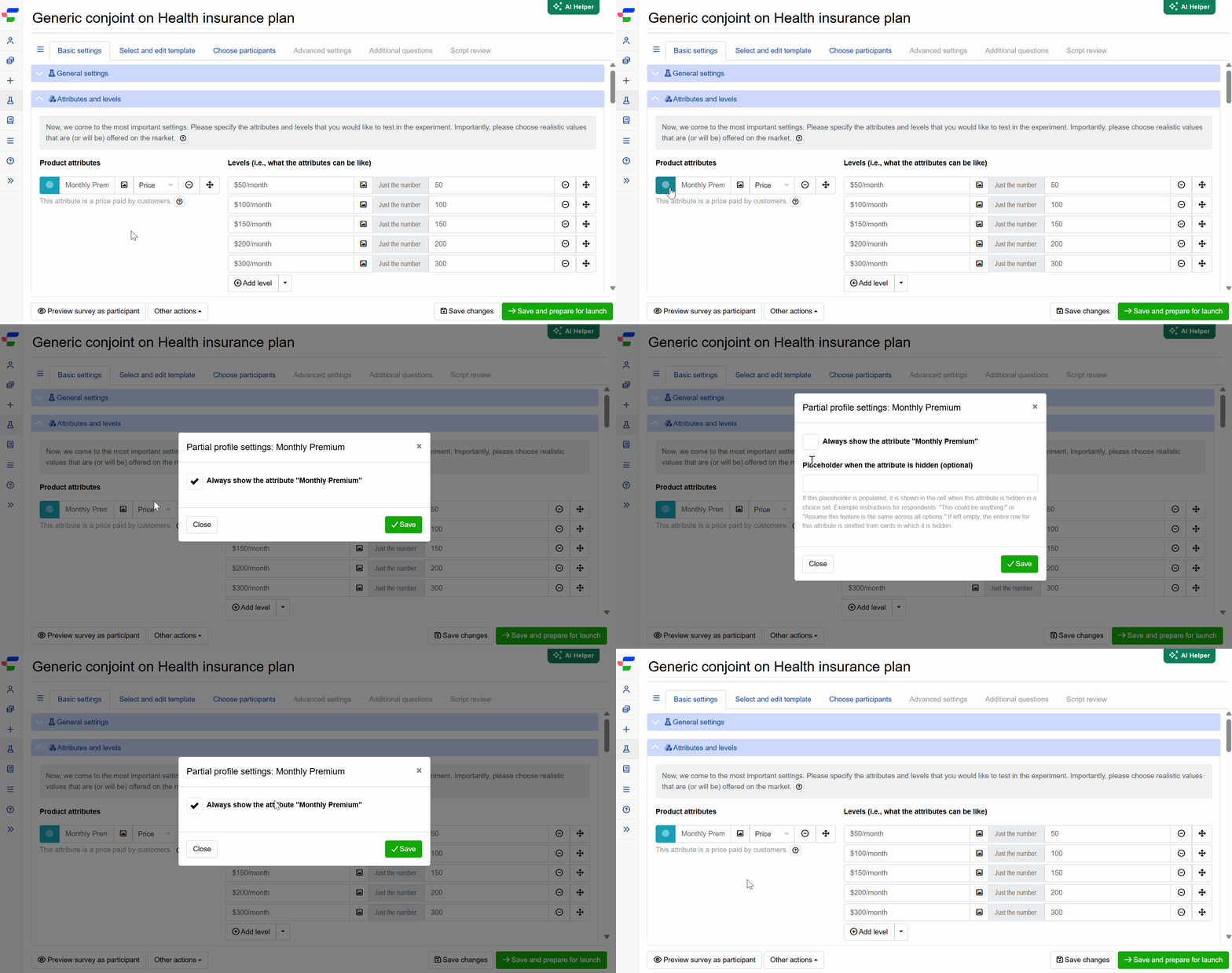
You can also adjust a single attribute later without reopening the wizard. When partial profile is on, each attribute in the list shows a circle icon, blue for pinned and grey for partially shown. Click it to edit that attribute’s pinning and hint.
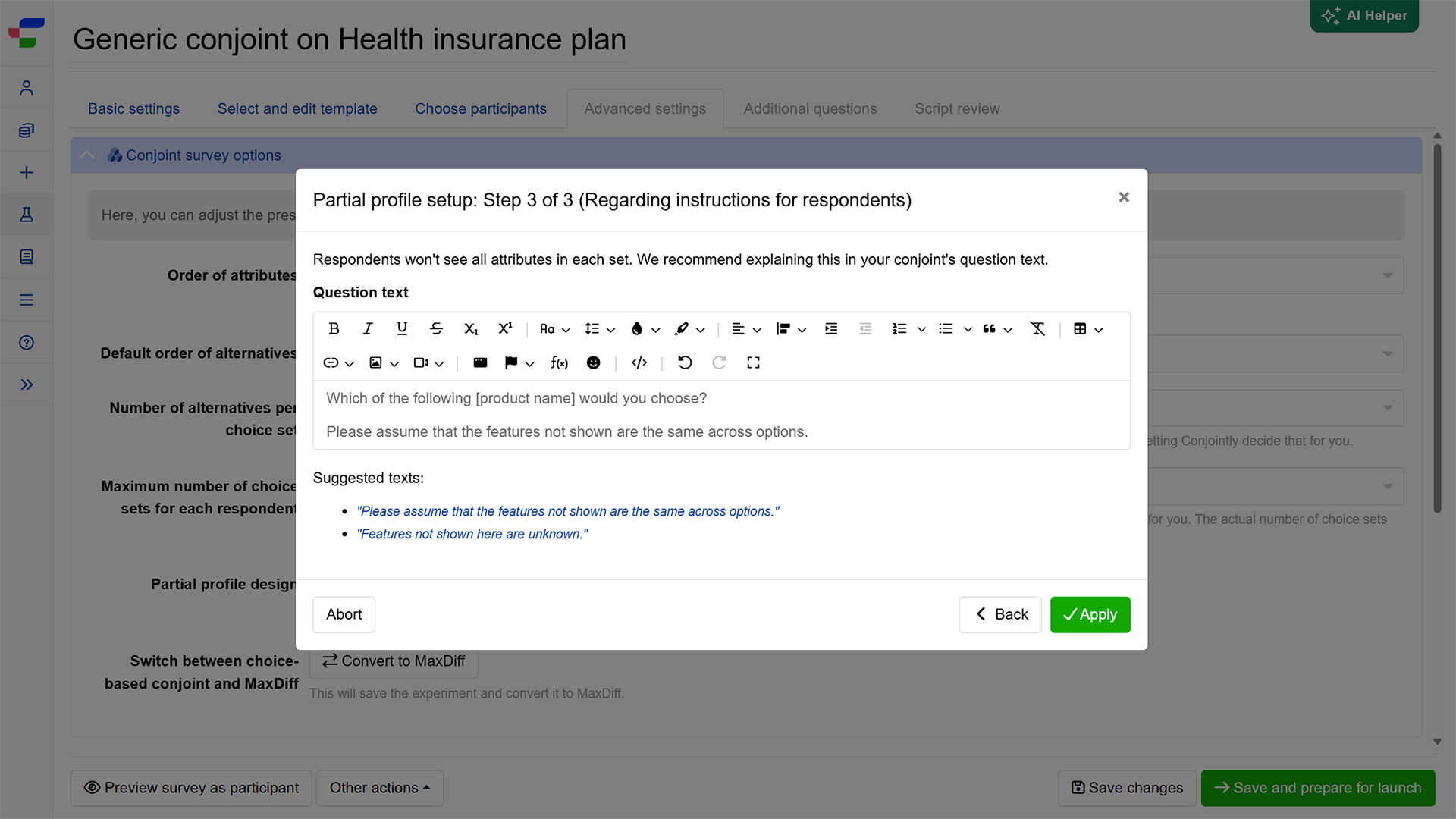
Step 3. Include additional explanation or instruction in the question text (Recommended)
Conjointly recommends explaining the approach in the conjoint question text to ensure respondents understand that some attributes are hidden and should be treated as constant or ideal. Click on any suggested text to insert it directly into your question text.
Click to complete the set up.
FAQs
Does partial profile conjoint need a larger sample?
Usually it does, but only modestly. Because each attribute appears in only some of the sets, the design collects less data per attribute, so you need more respondents to measure each one precisely.
Even so, shorter cards enable respondents to evaluate each choice more carefully, which lifts data quality and offsets part of the extra sample requirement. Overall, plan for a somewhat larger sample than an equivalent full profile study.
Conjointly factors these in and automatically recommends a minimum sample size based on your study setup.
What should respondents be told about hidden attributes?
When an attribute is hidden in a set, the respondent should be asked to treat it as the same across the options on screen (i.e. “ceteris paribus”), so the comparison stays fair. To support this:
- Set a short hint for hidden attributes during setup. Without one, the attribute simply does not appear on those cards.
- Explain the approach in your own question wording.
How is partial profile data analysed?
In modelling preferences, we assume that the hidden attributes have the “average” level for that attribute (i.e. a bit of level 1, a bit of level 2, etc.).
Otherwise, the conjoint is analysed the same way as standard conjoint. Conjointly uses Hierarchical Bayes estimation to calculate individual preferences from the attributes each respondent saw, then aggregates them across the sample. You get the same outputs as a standard conjoint study, including attribute importance, level preferences, willingness to pay, and preference share simulations.