Can I create a Conjointly survey from a Qualtrics QSF file?
Yes. Simply upload a .qsf file exported from Qualtrics to AI Helper, and Conjointly will create a new survey based on the questions and answer options in that file.
To recreate a Qualtrics survey in Conjointly:
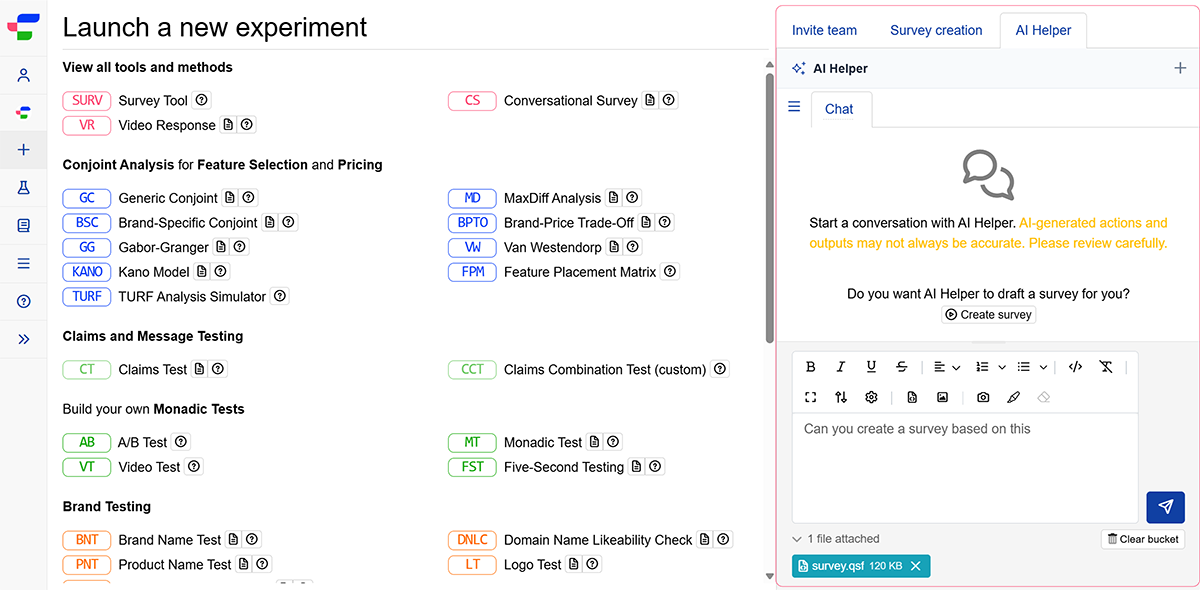
- On the Launch a new experiment page, access the AI Helper tab on the right side of the screen.
- Upload your QSF file by clicking on the icon or by dragging and dropping your file directly into the interface.
- Add any additional instructions in the same prompt or a follow-up message.
AI Helper reviews your file and instructions, then builds your survey by mapping each question to the closest native Conjointly question type. If something needs your input, it may check with you before or after building the survey.
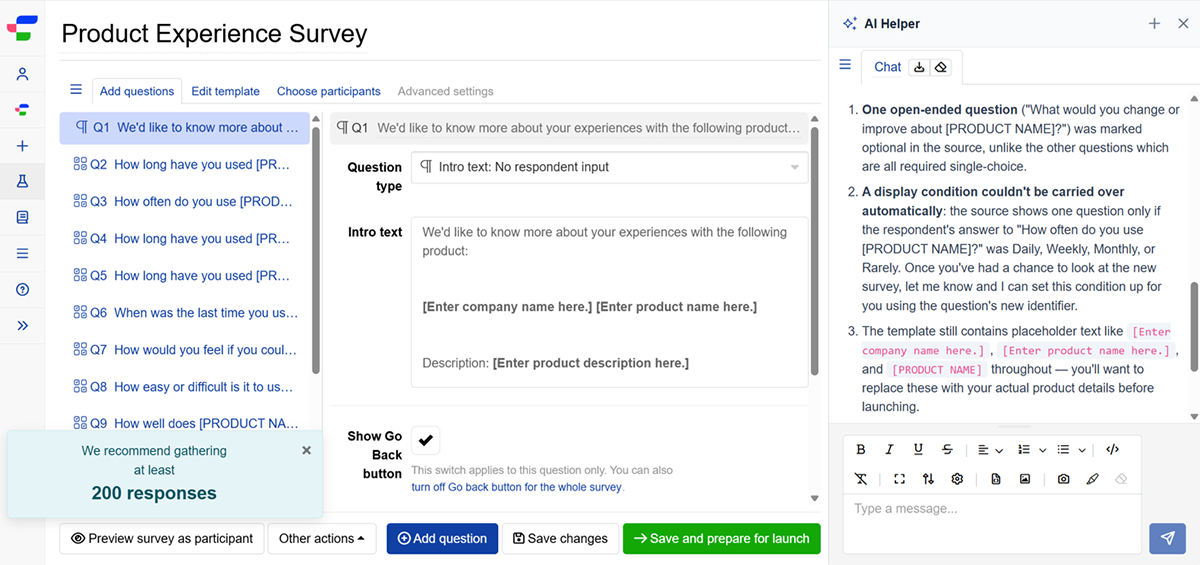
Treat the generated survey as a starting draft, since the following may not carry over or may need adjusting:
- Display logic, skip logic, and quotas.
- Embedded data and other Qualtrics-specific settings.
- Question types with no direct Conjointly equivalent, which may appear as an Intro Text placeholder.
If your platform exports in a different format, get in touch to share the details with us.