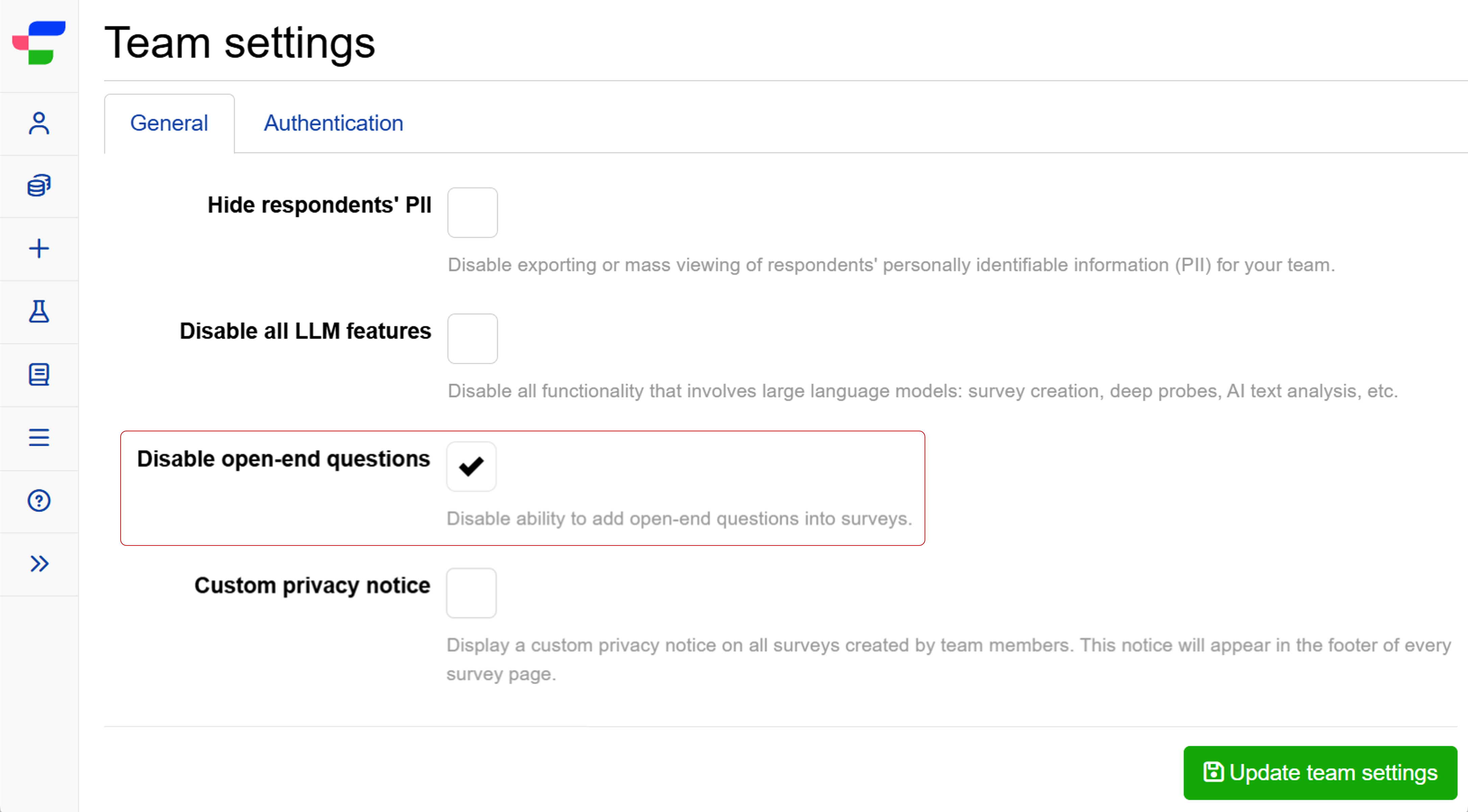
Can I disable open-ended questions?
Yes, team leaders and administrators can disable open-ended question types for their entire team through the team settings.
This setting is designed for teams that need to restrict free-text and qualitative data collection, for example to meet data governance requirements or to limit survey scope. It is not a recommended default.
What question types are affected?
When this setting is enabled, any question type that requires open-ended input cannot be added to any experiment, including:
- Short text
- Email address
- Number
- Regular expression
- Paragraph input
- Positive/negative open-ended feedback
- Dual negative-positive scale
- Image heatmap
- Text highlighter
- Video response
- Conversational survey
- Multiple choice with an “Other (please specify)” option
- Dropdown menu with an “Other (please specify)” option
The following Matrix grid sub-types are also affected:
- Multiple choice with an “Other (please specify)” option
- Short input
- Number
What happens when the setting is enabled?
Two things change immediately:
- New experiments: Team members cannot launch an experiment that contains any of the question types listed above.
- Launched experiments: If any of the above question types are added to an already-launched experiment, saving those changes is blocked.
All other question types and experiment functionality continue to work normally.