How does Autocode work?
When Autocode is enabled, a multiple choice or dropdown menu question with only one option remaining due to display logic is automatically answered and skipped. That single option is recorded as the participant’s answer.
Even though skipped, the question is treated as fully shown and answered in the report, exports, segmentation, quotas, piping, and survey logic.
When the Autocode setting is available
Autocode is hidden by default. The checkbox appears only when the question can end up with a single visible option that is not a write-in. This is the case when:
- Every option has display logic, and at least one is not a write-in.
- Exactly one option has no display logic, and it is not a write-in.
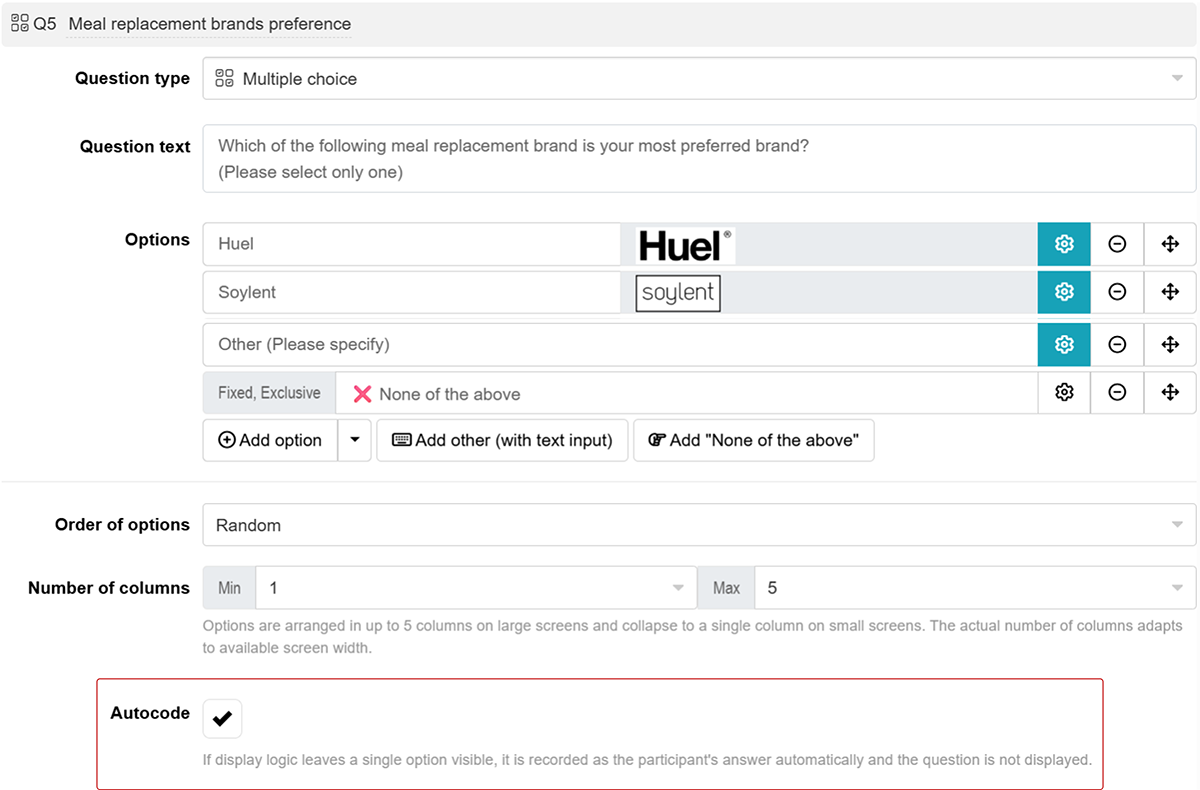
The checkbox updates as you edit the question and option properties. If a change makes it unavailable, the Autocode setting is automatically turned off.
Example use cases
Age buckets for the report
A question lists age buckets (18-24, 25-34 and so on). Each bucket is shown only if it matches the participant’s answer to an earlier Age question. Each participant sees exactly one bucket, so the question is never displayed, but the buckets are available for segmentation and quotas.
Brand funnel questions
Within a series of brand funnel questions, the first question asks which brands participants use. The following question asks for their preferred brand and shows only the brands selected in the first question. Participants who use several brands answer the following question as usual. For those who use one brand, it is answered automatically.