Get the latest updates about market research, automated tools, product testing and pricing techniques.
We (Conjointly) collect your personal details and other information in accordance with the Conjointly Privacy Notice. It is needed to send you electronic mail and subsequent communications. If you don’t provide this information, we may not be able to add you to the mailing list. You have rights to unsubscribe from the mailouts, correct your information, to make a complaint, and other rights, as per the Privacy Notice.
Five new question types and Quota check are now live in Conjointly, giving you more ways to design surveys that fit your needs.
You asked, Conjointly delivered. Here are five new question types and Quota check released recently, giving you more ways to design surveys that fit your needs.
Capture where consumer attention lands first with the Image heatmap first click question
The image heatmap family now includes a first click subtype, helping you pinpoint where initial attention or intent lands first.
Check out the video below to see how to set up an Image Heatmap First Click question in your survey.
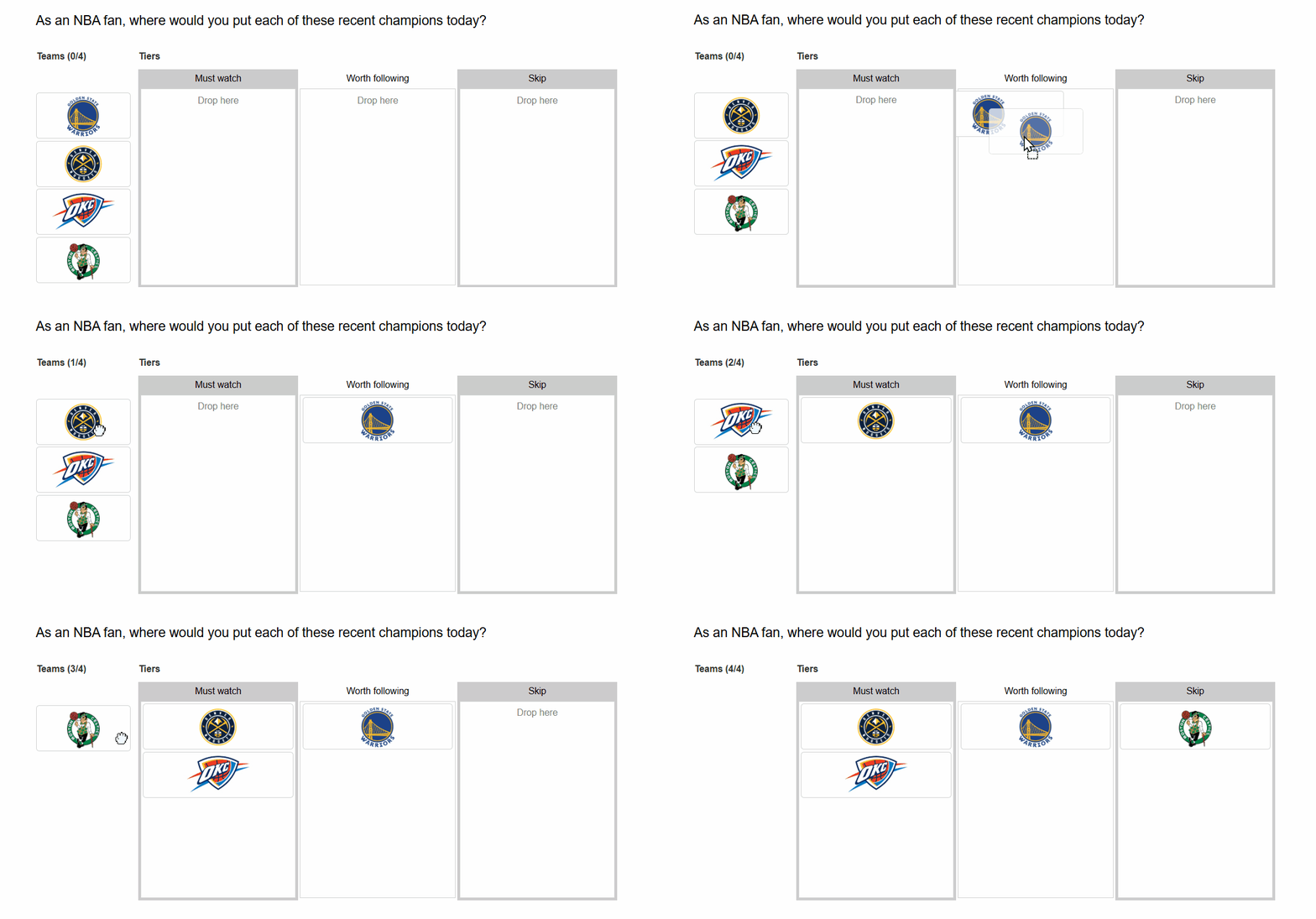
See how your audience categorises items with the Closed card sorting question
Validate whether your audience groups products, content, or concepts the way you think they do with the Closed card sorting questions.
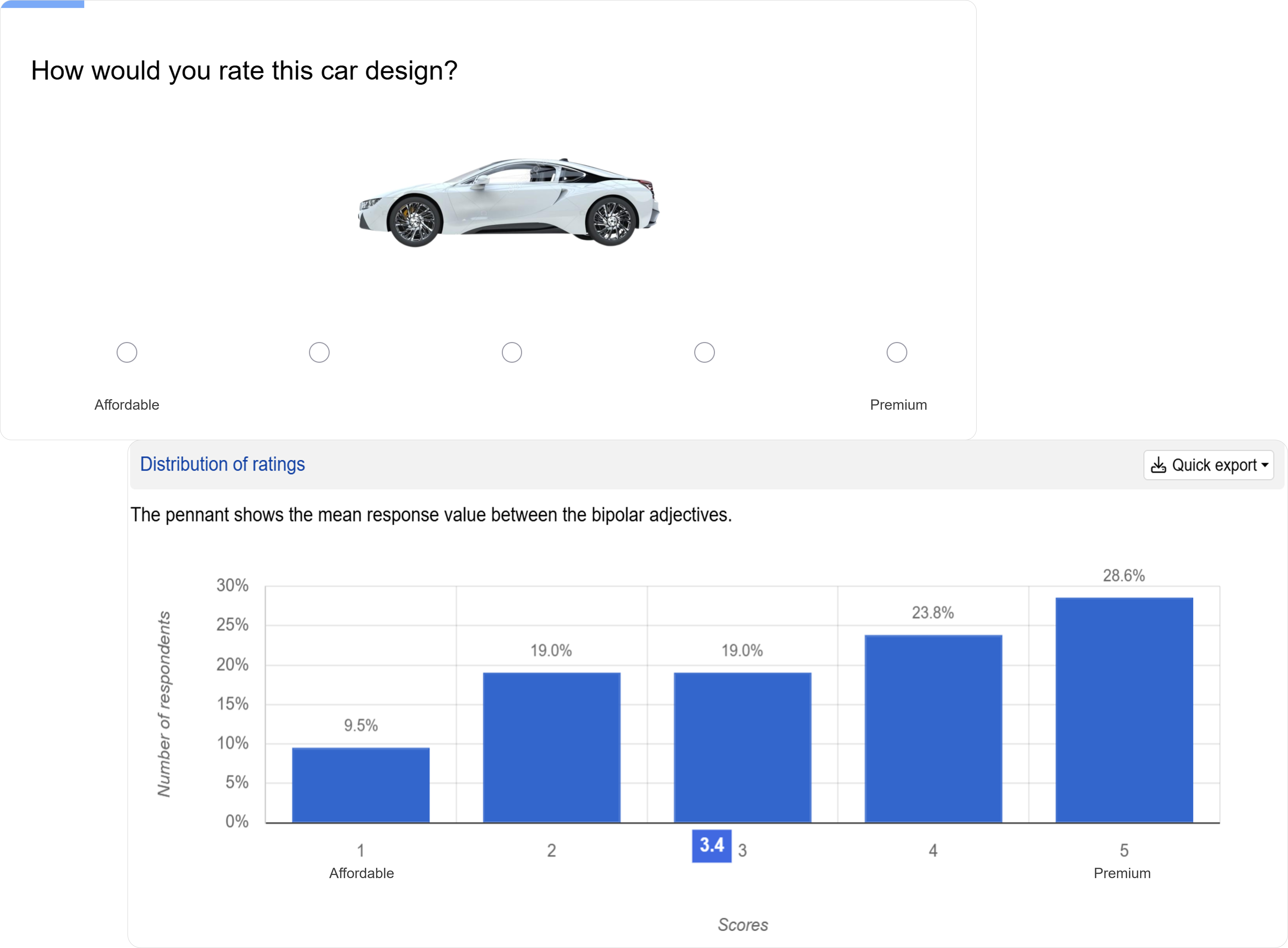
Uncover how consumers rate a concept across opposing attributes with Semantic differential scale
Semantic differential questions help you understand where your brand, product, or concept sits between competing perceptions, such as "Premium or Affordable", "Innovative or Reliable", ensuring your positioning and messaging reflect how consumers truly see you.
It is also available as a subtype within the Matrix grid question type, enabling you to evaluate multiple stimuli at once.
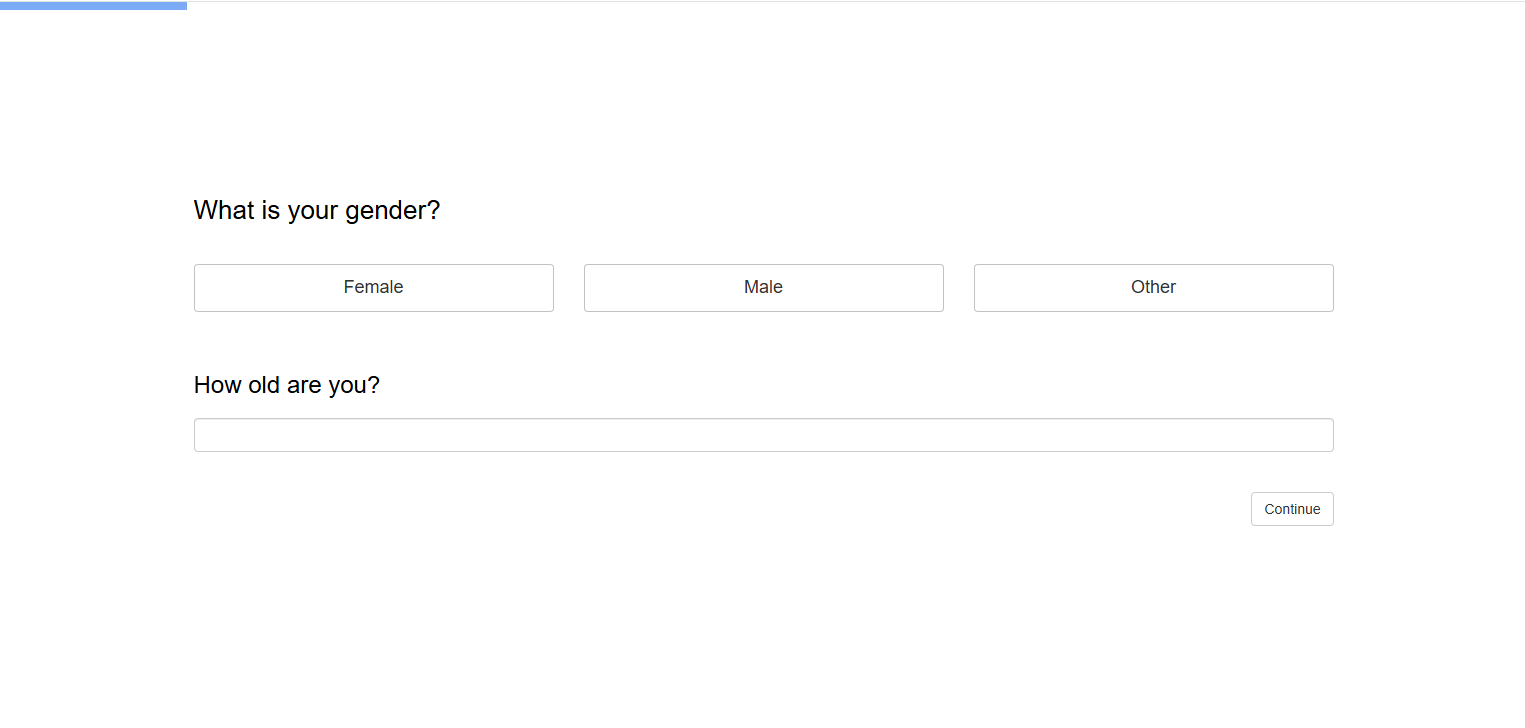
Streamline demographic collection with the Gender and age question
You can now collect age and gender data in one question. If the data is already available from the panel or a previous response, it passes through automatically so respondents are never asked twice.
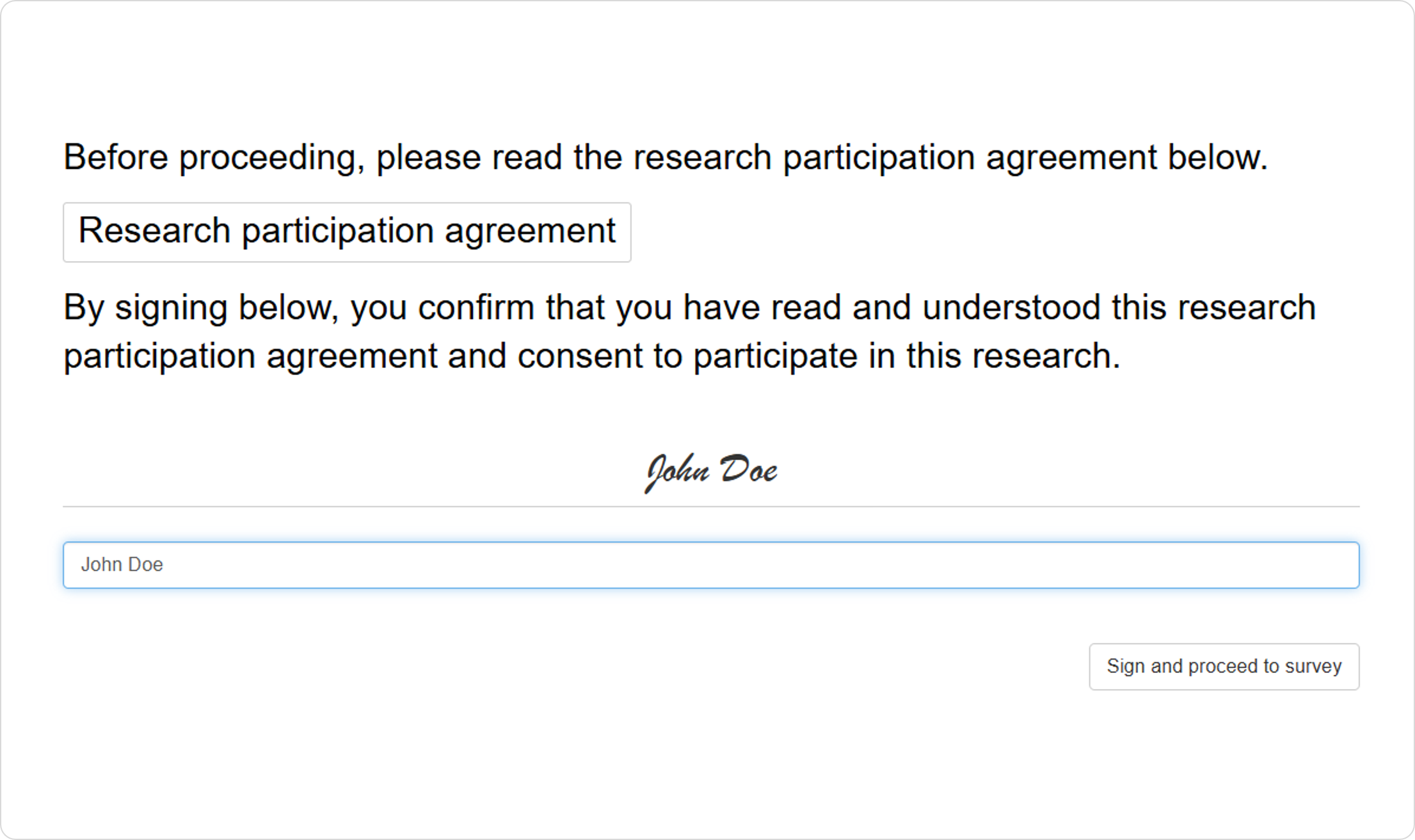
Collect respondents' consent and agreements with the Signature input question
Collect typed signatures directly in your survey to obtain legally binding consent, data privacy confirmations, or agreement to terms before respondents proceed.
Track how many respondents meet your specified conditions with Quota check
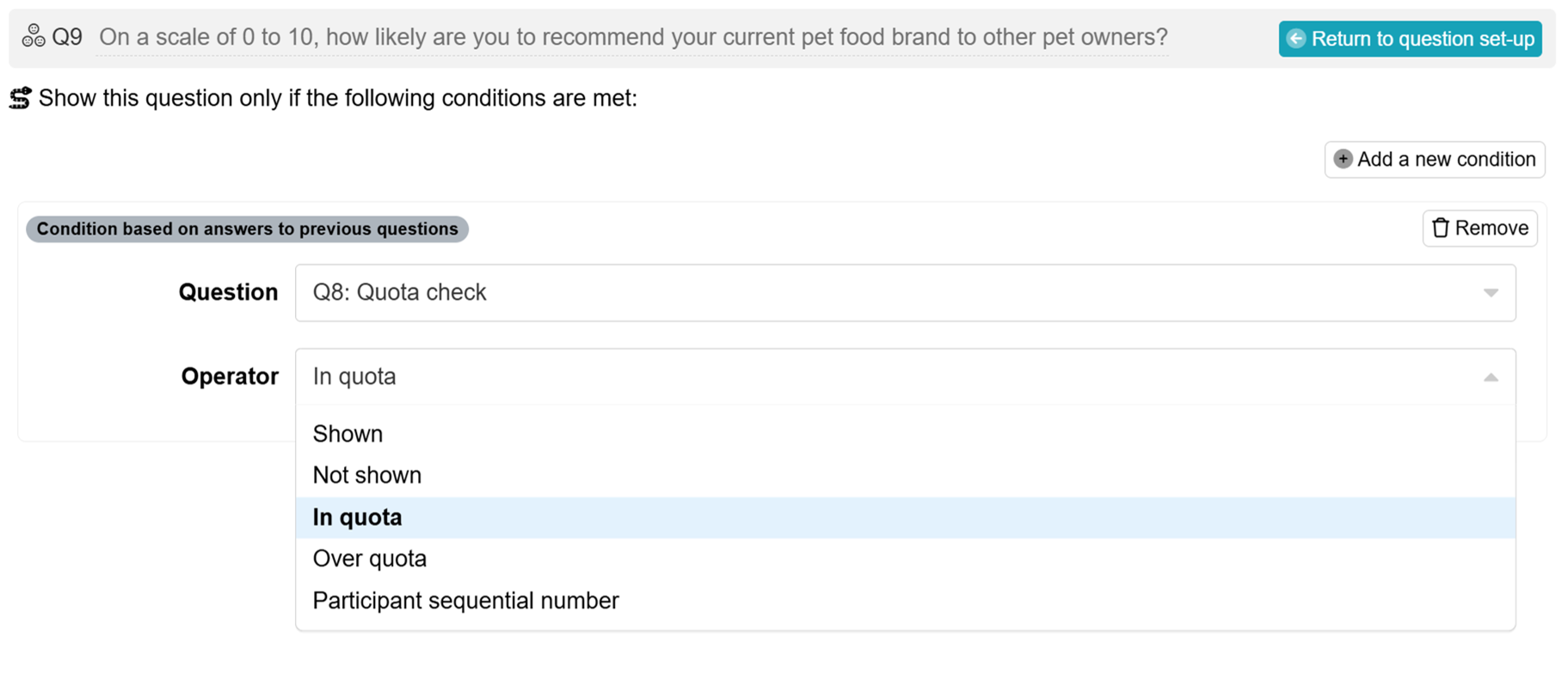
Quota check lets you define conditions at any point in your survey and track how many respondents have met them as data collection progresses. Think of it as a live scoreboard that gives you full visibility into current status without disrupting the respondent experience.
Unlike other survey flow controls that redirect or terminate respondents, it is purely informational, returning either a simple in/over quota status or a running count against your condition.
You can then reference that output in subsequent display logic or formulas to determine what happens next, enabling you to personalise the respondent path based on real-time quota progress.
With Quota check, Conjointly now offers five ways to manage quotas in your surveys, giving you greater control over your data collection.
Tell us what you need next
Everything above came from your feedback, and that conversation never stops. Tell the team the research problem you are trying to solve and Conjointly will find a way to help.
We (Conjointly) collect your personal details and other information in accordance with the Conjointly Privacy Notice. It is needed to talk to you via teleconference and subsequent communications. If you don’t provide this information, we may not be able to talk to you. You have rights to correct your information, to make a complaint, and other rights, as per the Privacy Notice.
Cookie Consent
Conjointly uses essential cookies to make our site work. We also use additional cookies in order to understand the usage of the site, gather audience analytics, and for remarketing purposes.
For more information on Conjointly's use of cookies, please read our Cookie Policy.
Your cookie preferences have been updated successfully.
We (Conjointly) collect your personal details and other information in accordance with the Conjointly Privacy Notice. It is needed to talk to you via teleconference and subsequent communications. If you don’t provide this information, we may not be able to talk to you. You have rights to correct your information, to make a complaint, and other rights, as per the Privacy Notice.
Webinar starting soon!
Join the webinar "" in .
Planned maintenance
×
Do you want to be updated on new features from Conjointly?
We send occasional emails to keep our users informed about new developments on Conjointly, such as new types of analysis and features.
Subscribe to updates from Conjointly
We (Conjointly) collect your personal details and other information in accordance with the Conjointly Privacy Notice. It is needed to send you electronic mail and subsequent communications. If you don’t provide this information, we may not be able to add you to the mailing list. You have rights to unsubscribe from the mailouts, correct your information, to make a complaint, and other rights, as per the Privacy Notice.