Already have a questionnaire in Word, PDF or another survey platform? See how AI Helper turns it into a survey draft you can review, refine, and launch on Conjointly.
Already have a questionnaire in Word, PDF, or another survey platform? Now you can upload that file and have a survey draft ready in minutes.
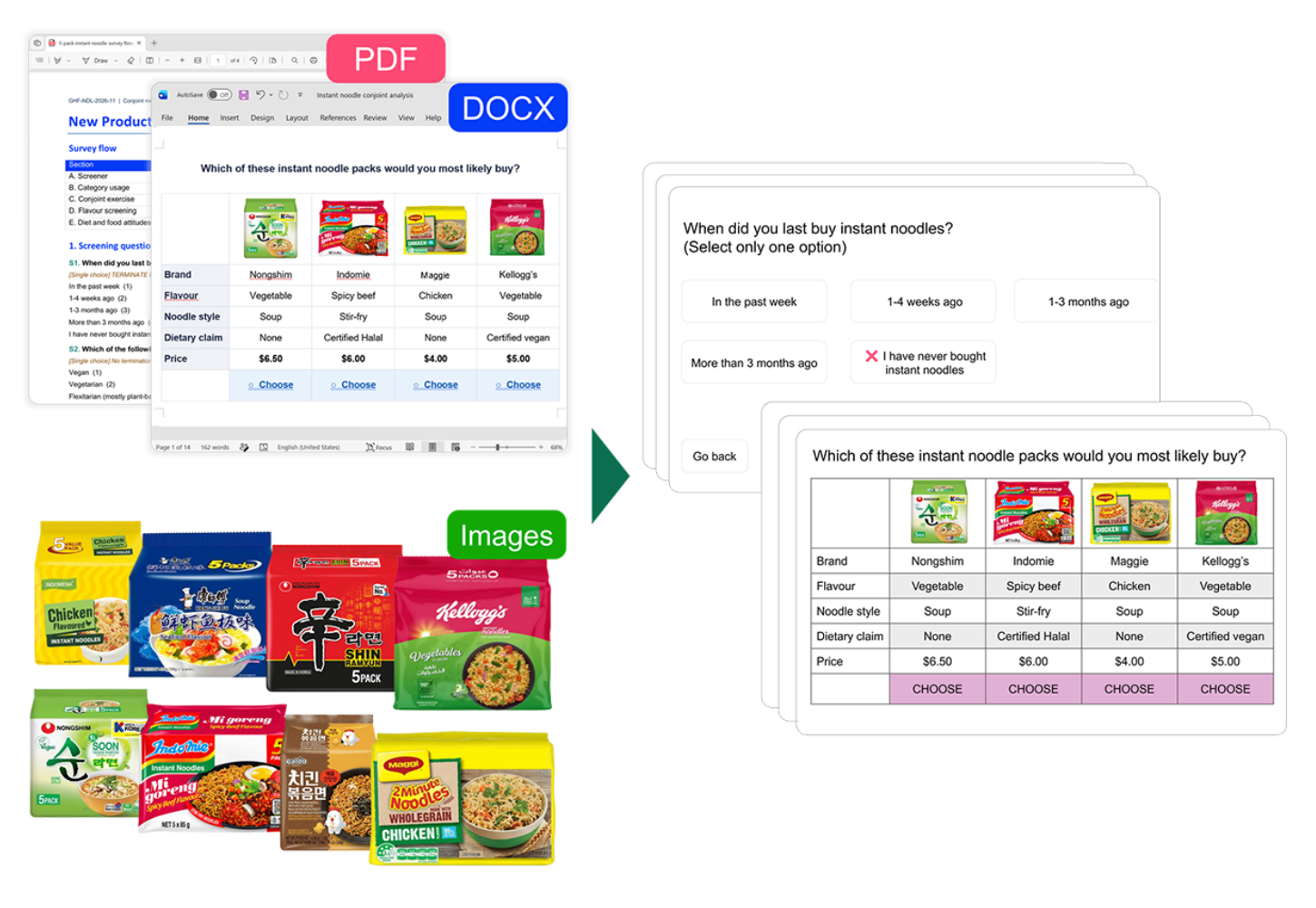
Build and edit surveys from what you already have
Whether you are starting a new survey or refining one you have already built, everything below is available from the AI Helper panel.
Bring in a questionnaire you have already written
You can directly upload your questionnaire into the Conjointly platform and get a survey that follows your original structure, content, and formatting. The upload supports a wide range of formats, including Word, PDF, RTF, ODT, CSV, JSON, XML, Markdown, and plain text.
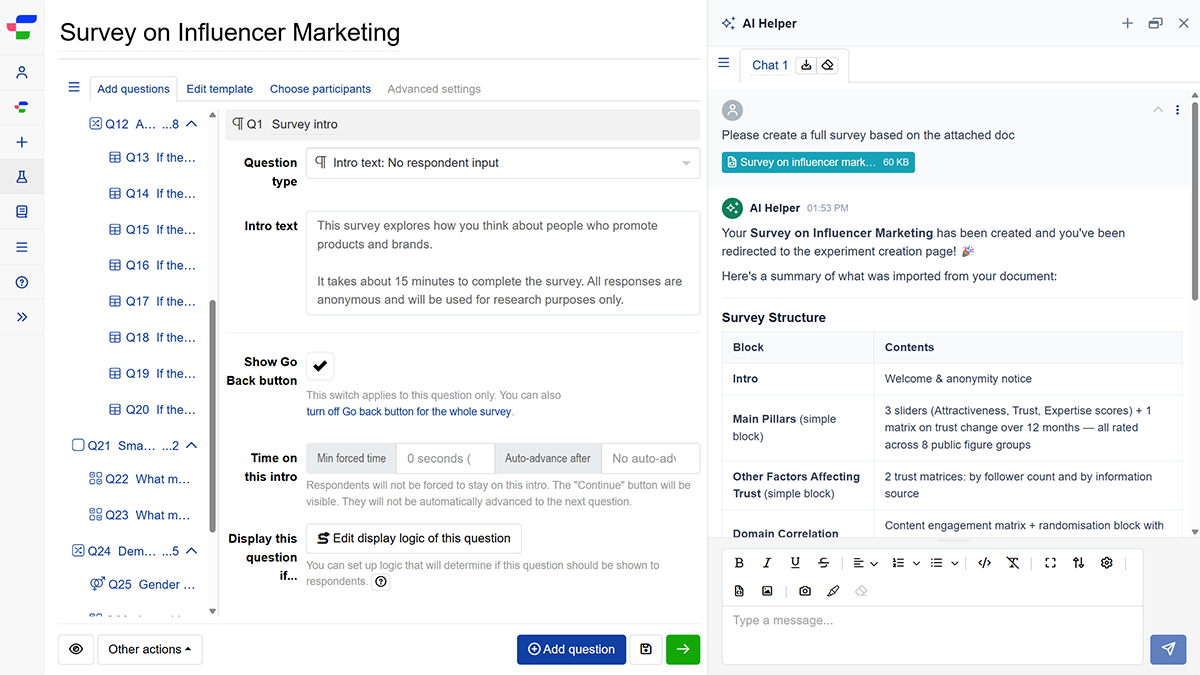
Switching from Qualtrics or another platform?
Recreate your surveys on Conjointly with little adjustment needed after import. Export your Qualtrics survey as a QSF file, upload it to AI Helper, and Conjointly drafts it for you in minutes.
The same works for surveys from other platforms. Have a format we don’t support yet? Get in touch.
Start from a brief when there is no questionnaire yet
Describe your research goals in a sentence or two, for example "a usage and attitude (U&A) study on ready-to-drink coffee", and get a suggested survey structure with questions and answer options. Any specific questions, attributes, or price levels you include are built straight into the draft.
Share a screenshot for targeted edits
You can capture your screen and mark up the specific question or setting you want changed, so the edit lands where you pointed.

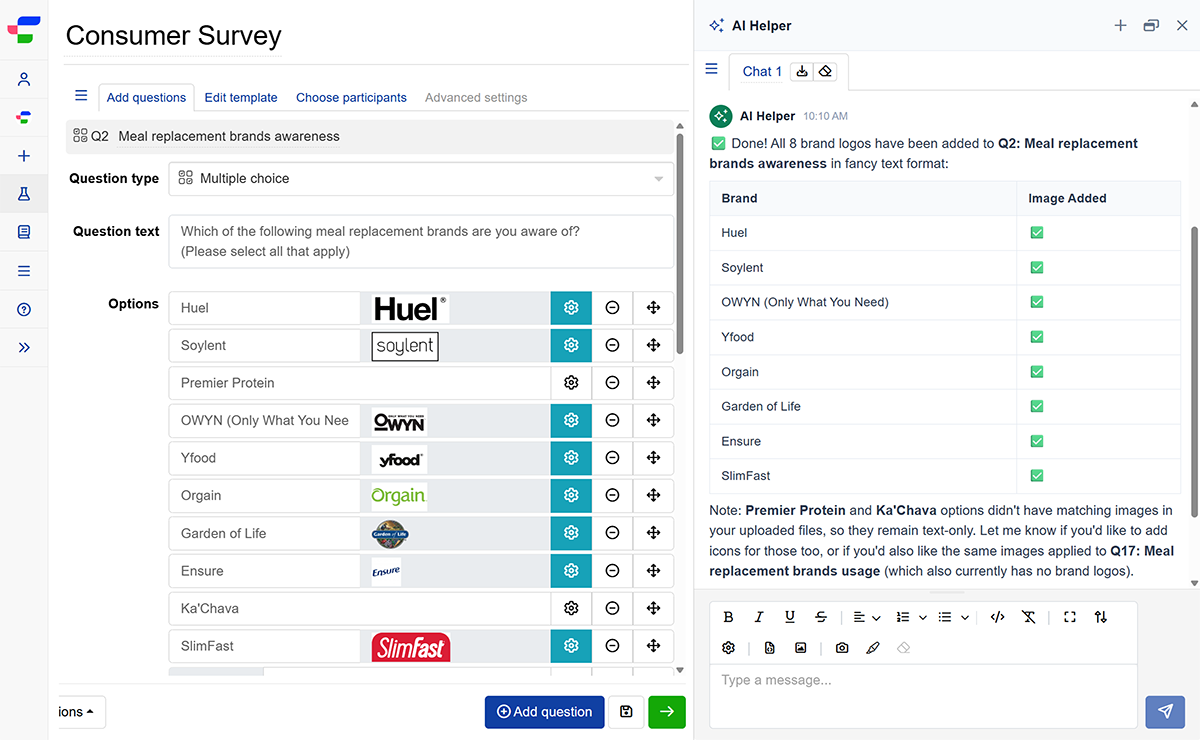
Upload and insert image assets in bulk
Drop reference files, product shots, or graphics straight into the editor to automatically embed them into your survey questions, answer choices, or experiment stimuli.
Ready to turn your document or research goals into a survey? Simply head to the Launch a new experiment page and access the AI Helper panel on the right to get started. Read the step-by-step guide to explore how these features work in detail.