

Self-serve sample C, Dial Testing, new question types, additional TURF analysis outputs, and many other improvements from Q3 2026.
Here’s what’s new from the past quarter on Conjointly.
At a glance
New question types:
- Dial Testing captures second-by-second reactions to your video
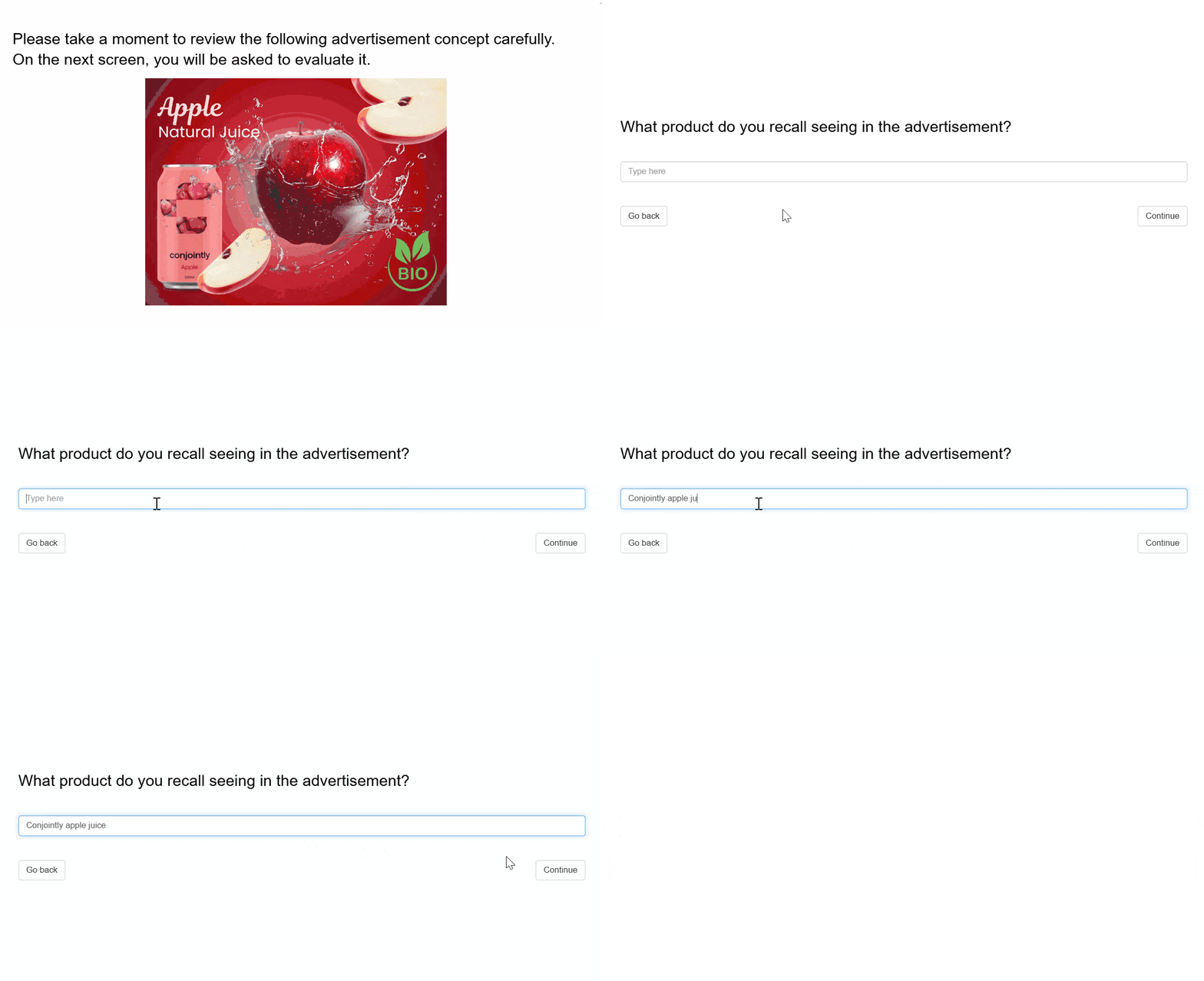
- Recall test measures how well respondents remember a brand, product, or message
- File upload collects photos, videos, and documents such as receipts, screenshots, or shelf photos
- Camera verification uses a real-time liveness scan to confirm respondents are real people
Respondent sourcing and response quality:
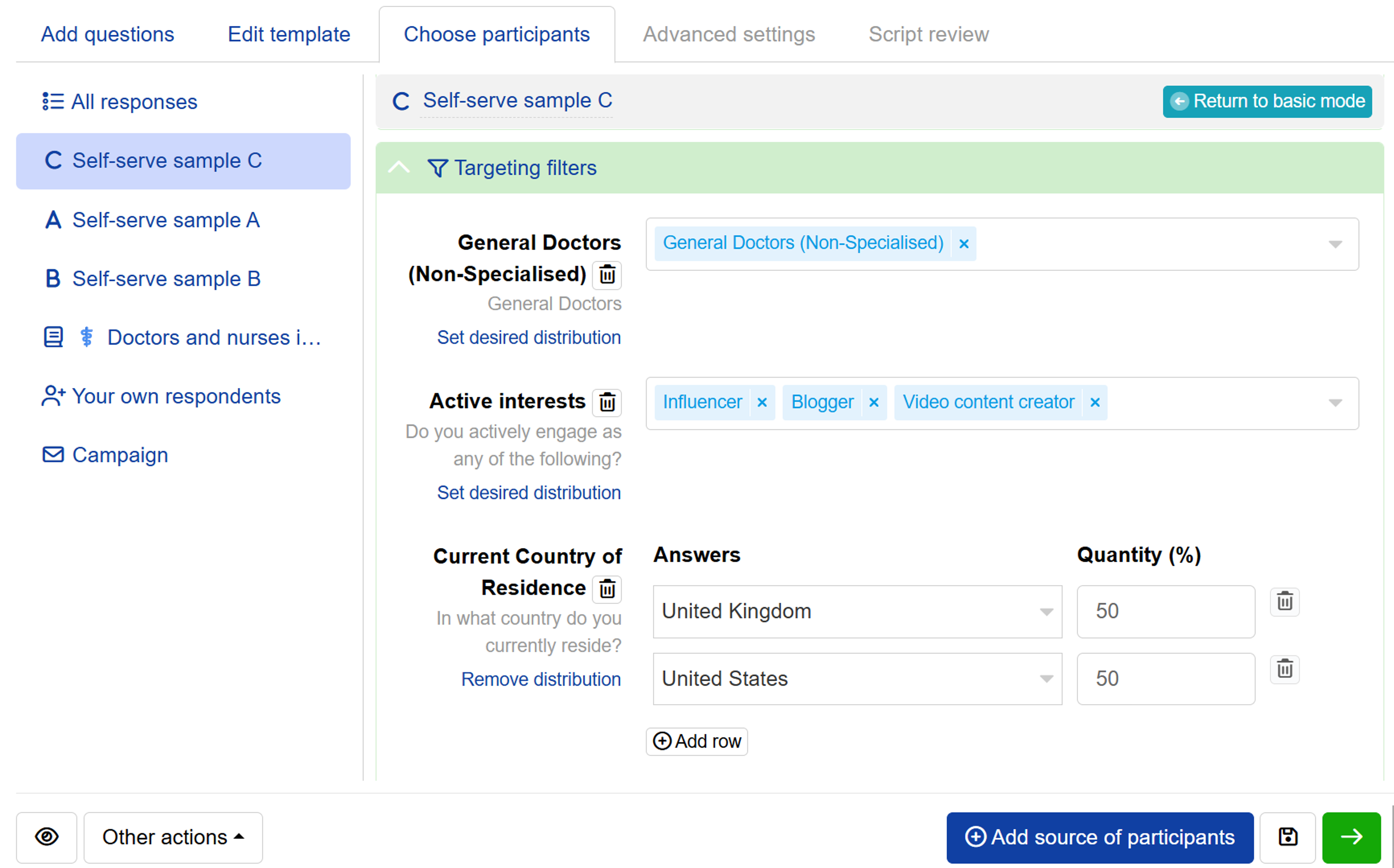
- Self-serve sample C sources ID-verified professionals and niche respondents
- Self-serve sample A, B, and C now notify you when your targeting is unlikely to fill quotas
- The system sends an email alert when few completes arrive shortly after launch, so you can adjust early
- Email clean-up in campaigns now shows why each email address was kept or removed
- Answers respondents entered but did not submit are now recorded
Analysis and reporting, more advanced than ever:
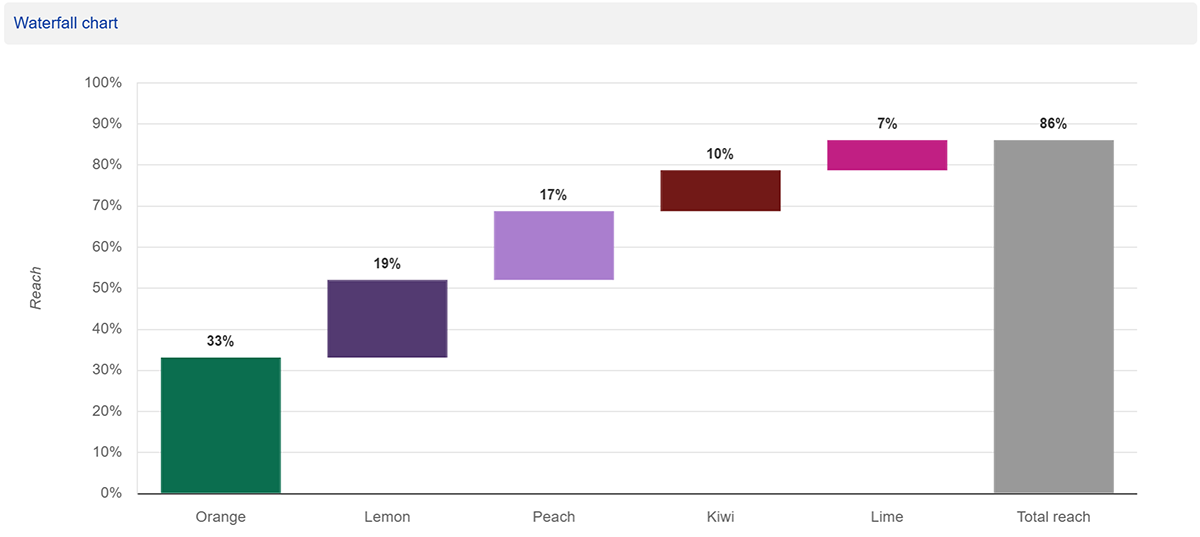
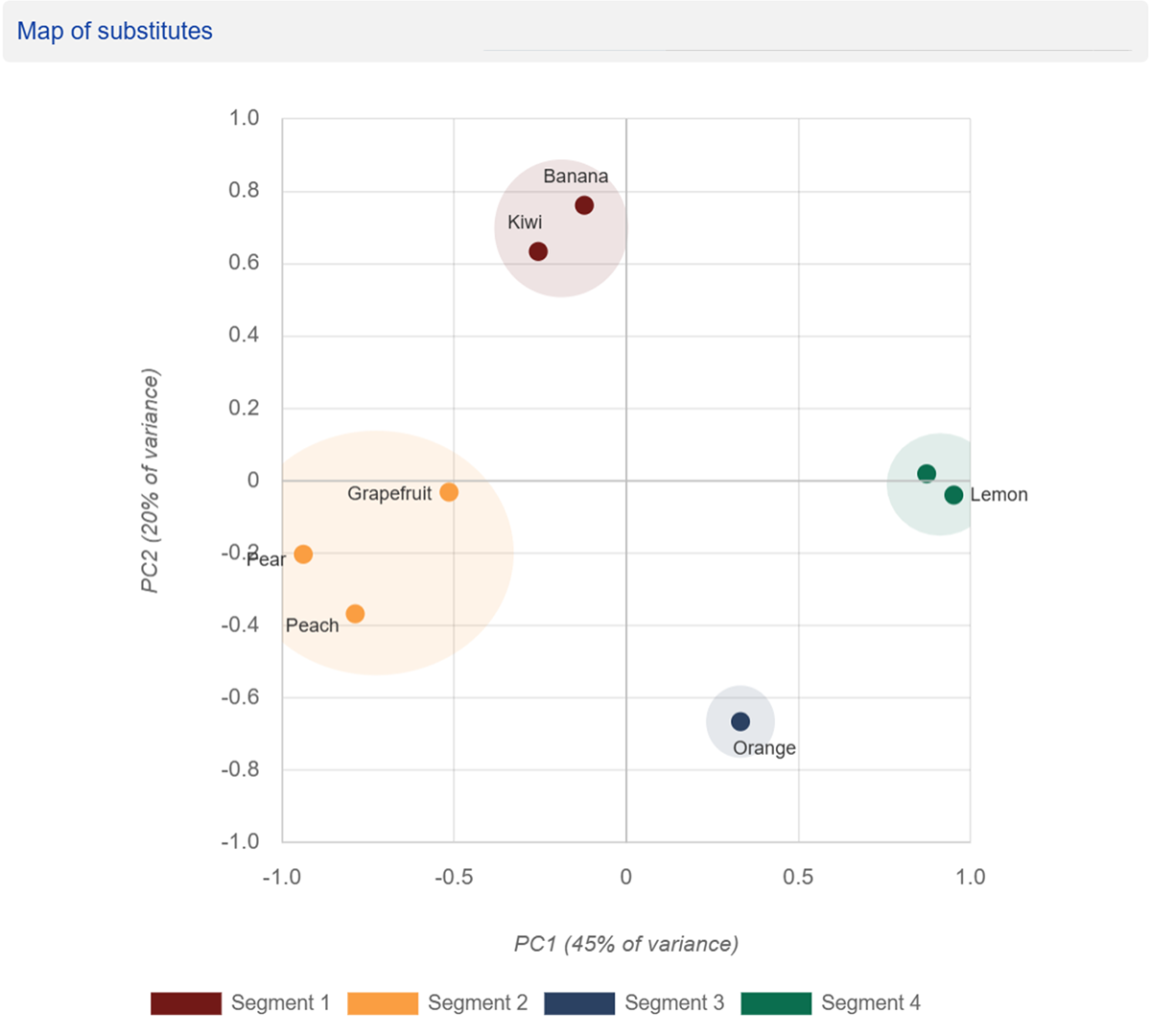
- TURF analysis gained two new outputs: a waterfall chart and a map of substitutes
- Pairwise significance tests added to crosstabs
- Holdout validation for conjoint, using held-out choice sets or respondents
- Conjoint models now calculate several times faster
- Crosstabs now support matrix grid questions, so you can easily compare results across segments
Survey design and respondent experience:
- Conjoint now lets you prohibit pairs of levels across alternatives
- MaxDiff now supports partial profile designs
- Upload a questionnaire document to generate a high-fidelity, ready-to-launch survey
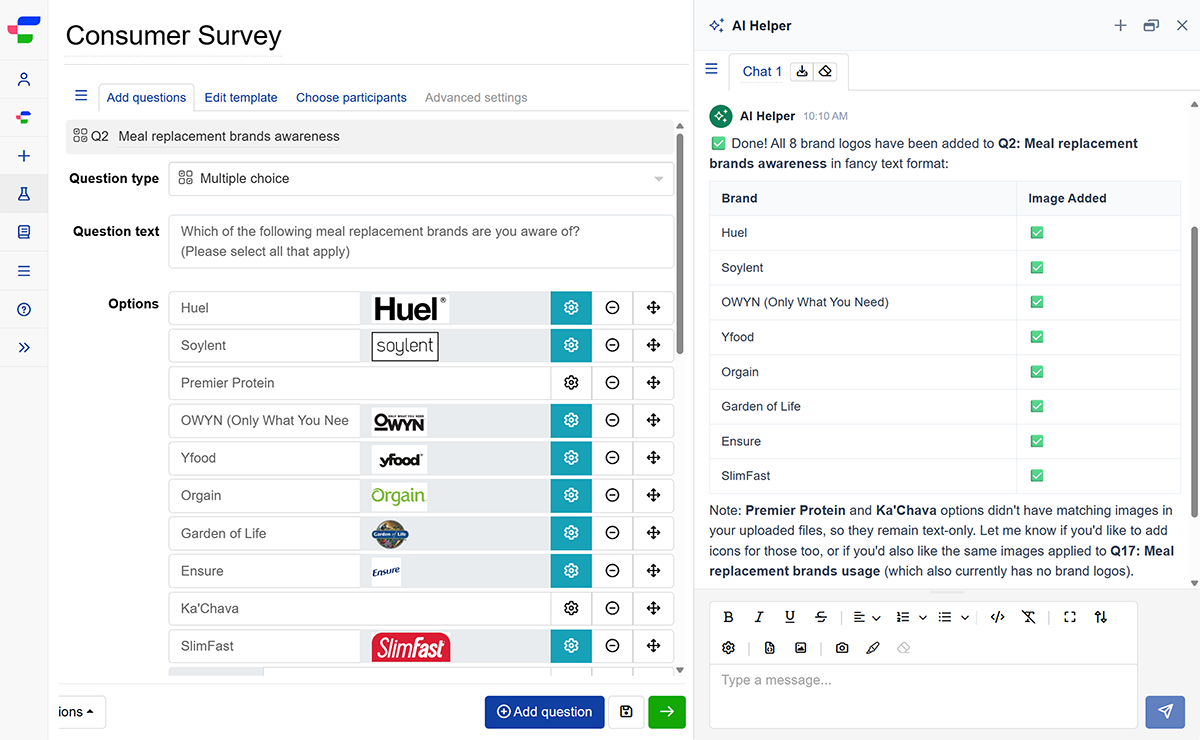
- The “Paste or type your questions” tab can now import longer questionnaires using AI Helper
- Set the minimum and maximum number of columns on multiple choice questions to control how options display on mobile and desktop
- Norwegian, Hebrew, and Swahili (Kenya) added to supported survey languages, plus several right-to-left layout fixes
- Build logic on matrix grid answers with the new gridAnswer() formula
- Semantic differential in matrix grid now supports bipolar labels for every row
- The answer() formula now works for conjoint and MaxDiff questions, and formulas accept vectors as arguments
- The new productName() formula returns the product name set in a conjoint question, given its question ID
- Enable Autocode on multiple choice and dropdown questions to automatically record the answer and skip the question when display logic leaves respondents with only one eligible option
- Mobile respondent interface improvements
- Smoother image and video handling in the question editor
- More accurate interview length estimates, based on actual timings once your experiment is launched
For enterprise teams:
- Managers can now manage tags across their teams
- Export the transaction history from your team's balance and bonuses page
As always, there are new quality checks, a range of UI and AI Helper improvements, and more Brand Tracker waves.
Self-serve sample C
Self-serve sample C sources ID-verified respondents with domain expertise in fields such as medicine, programming, law, and science. Every respondent passes an identity verification step before joining the panel.
As with Self-serve sample A and B, you set your own bid per complete, data collection starts at launch, and you can pause at any time. You can also mix it with other sample sources in one study.
Two new TURF analysis visual outputs
TURF analysis now includes two additional visual outputs. The waterfall chart shows the incremental reach gained as each item is added to a combination, making it easy to see where extra items stop paying off.
The map of substitutes shows how similar respondent preferences are between items, helping you spot which ones appeal to the same audience and which reach different groups.
Dial Testing
Dial Testing records how respondents react to a video second by second as they move an on-screen slider. The output syncs with your video, showing peak engagement, drop-off points, and the moments viewers chose to act.
Run it alone or alongside other question types in the same survey. No plugins or installation needed for you or your respondents.
Camera verification
The Camera verification question prompts respondents to complete a brief series of on-screen movements using their device camera. The system analyses the camera feed in real time to verify human presence and catch spoofs like photos, video recordings, 3D masks, and AI deepfakes.
You receive a pass-or-fail result for each respondent. By default, failed respondents are flagged as low quality, but you can change this to redirect them, show them different questions, or screen them out post-fieldwork.
💡 Tip: Add Camera verification to any survey for extra peace of mind at just US$0.05 per respondent who enters the survey.

Recall test
The Recall test question type asks respondents to type what they remember from earlier in the survey, such as a brand name or a claim. Each answer is scored against a benchmark value only you can see, giving you a quantified measure of memorability without coding open-ends by hand.
Automated survey generation and review
You can upload a questionnaire file or input your research descriptions to generate a ready-to-launch survey. This automated survey generation tool supports all Conjointly research tools and question types.
After generating and editing your survey, you can run the automated survey script review to check for typos, missing skip logic, or structural errors before launch.
💡 Tip: Automate survey setup and script checks to eliminate setup overhead, so you can launch your study faster and focus on insights.
Questions or specific requirements? Let's book a chat.