
Deep probe automatically analyses your survey data using LLM analysis or custom formulas. Simply describe what you want to learn about your respondents and receive structured outputs in minutes rather than days.
Want to dive deep into your survey data without spending days on manual analysis? Deep probe automatically transforms your raw survey data into structured, actionable insights using AI or custom formulas.
What is Deep probe?
Extracting insights from survey data, especially open-ended responses, can require days of manually reviewing, coding, categorising, and summarising before reaching conclusions.
Deep probe eliminates this analysis bottleneck. Simply describe what you want to learn about your respondents and receive structured outputs in minutes, letting you explore every angle of your data.
Getting started with Deep probe
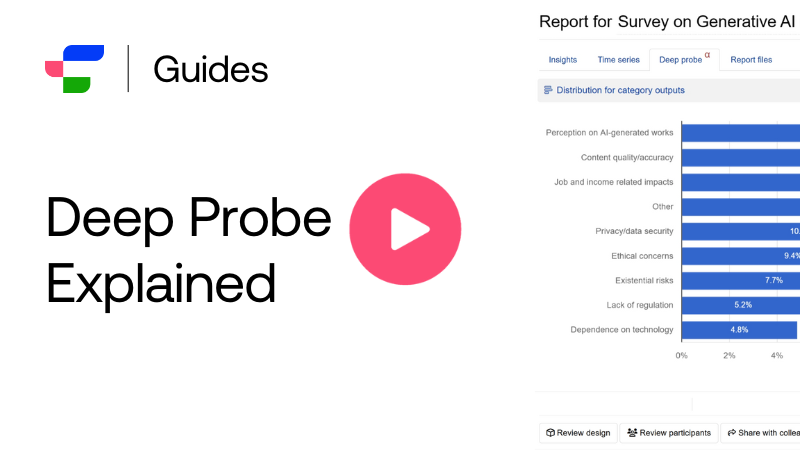
Watch how Deep probe transforms your survey data into structured analysis based on your requests. This demo covers the intuitive setup process for both LLM analysis and calculated values.
Maximising insights with Deep probe
Here are examples of how researchers have used Deep probe to save time:
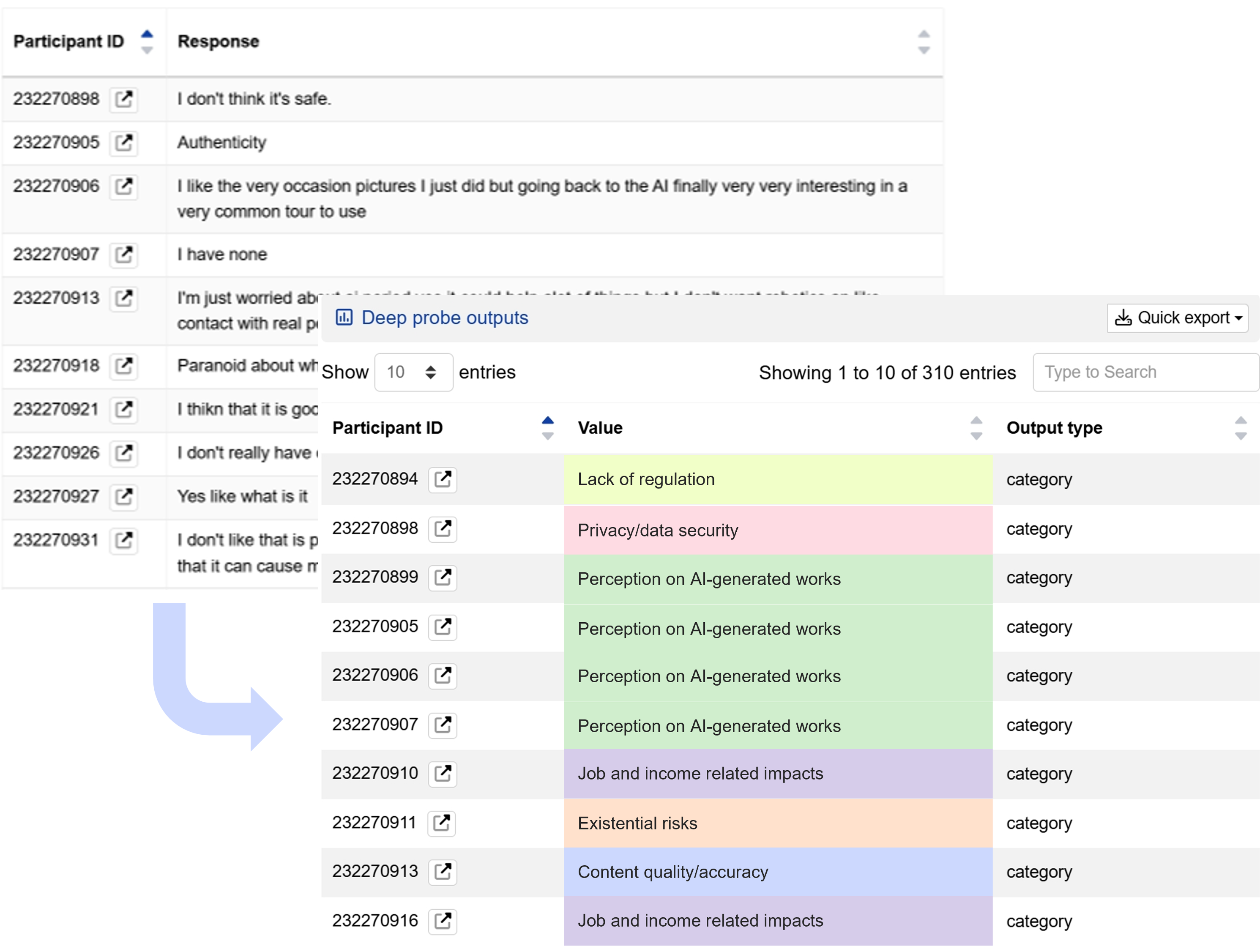
1. Code open-ended responses
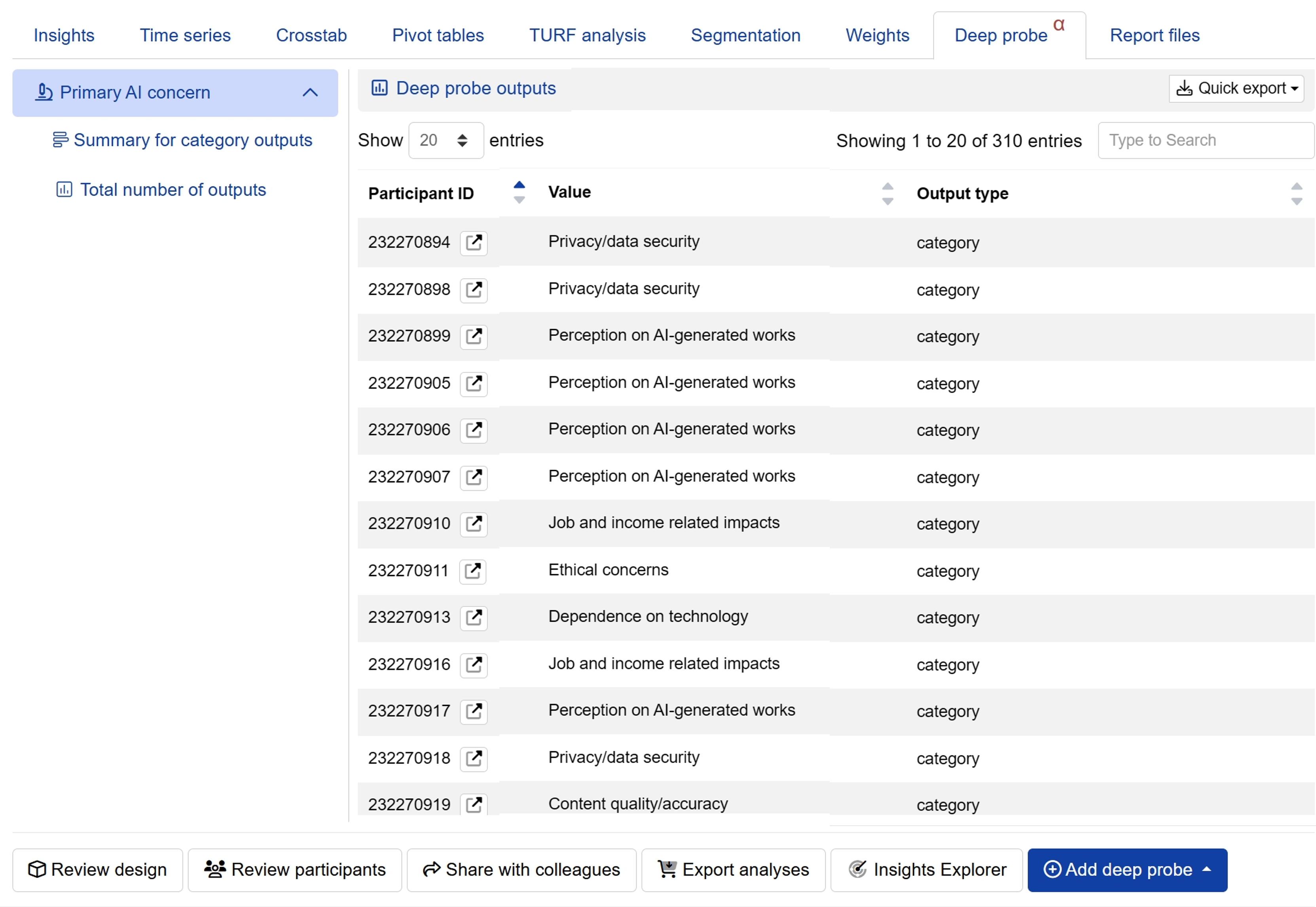
Transform unstructured text responses into structured data regardless of language or length. Whether categorising them by themes, scoring them numerically, or summarising them as text, you can easily identify overall trends and patterns that were otherwise difficult to visualise.
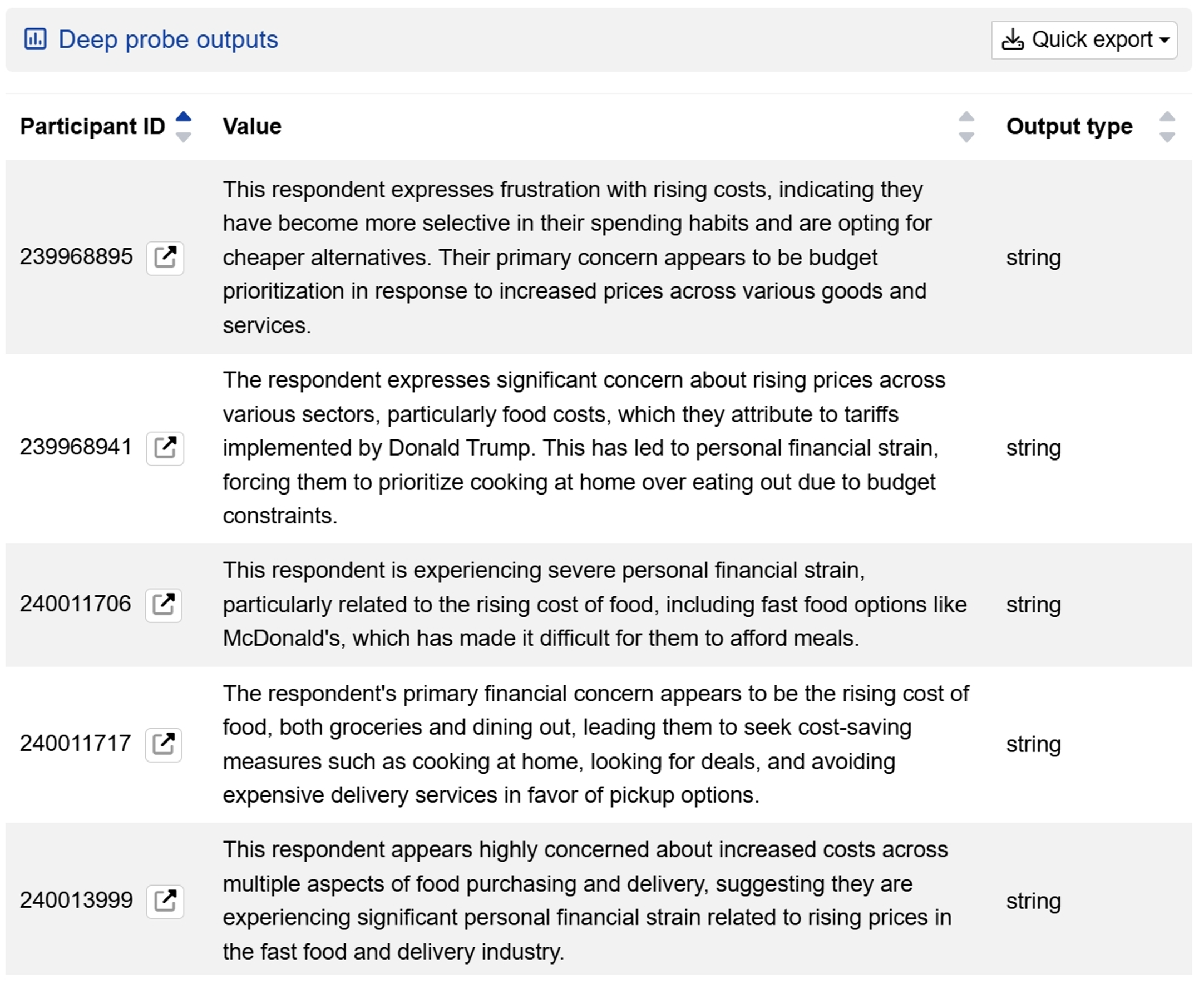
2. Synthesising individual respondent data
Generate comprehensive summaries for each respondent by analysing all their survey answers together, revealing their preferences, needs, and attitudes. These summaries provide the foundation for grouping respondents into appropriate segments, assessing response quality, or conducting further comparative analysis.
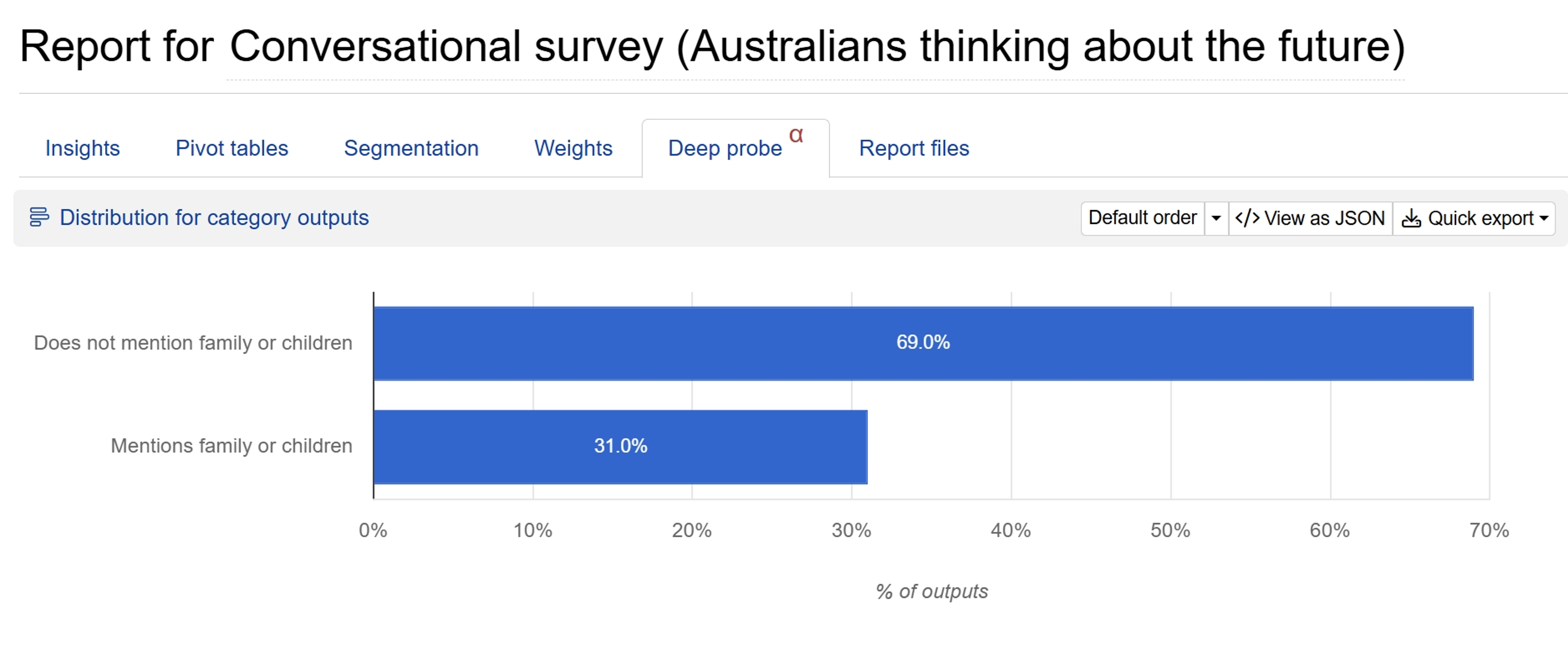
3. Extract specific insights from conversational surveys
Transform hundreds of free-flowing conversational transcripts into organised, measurable outputs. Easily extract specific keywords or mentions, identify which topics appear most frequently, or group respondents by their response themes, helping you capture nuanced insights that would otherwise remain buried in lengthy transcripts.
4. Create calculated values from existing data
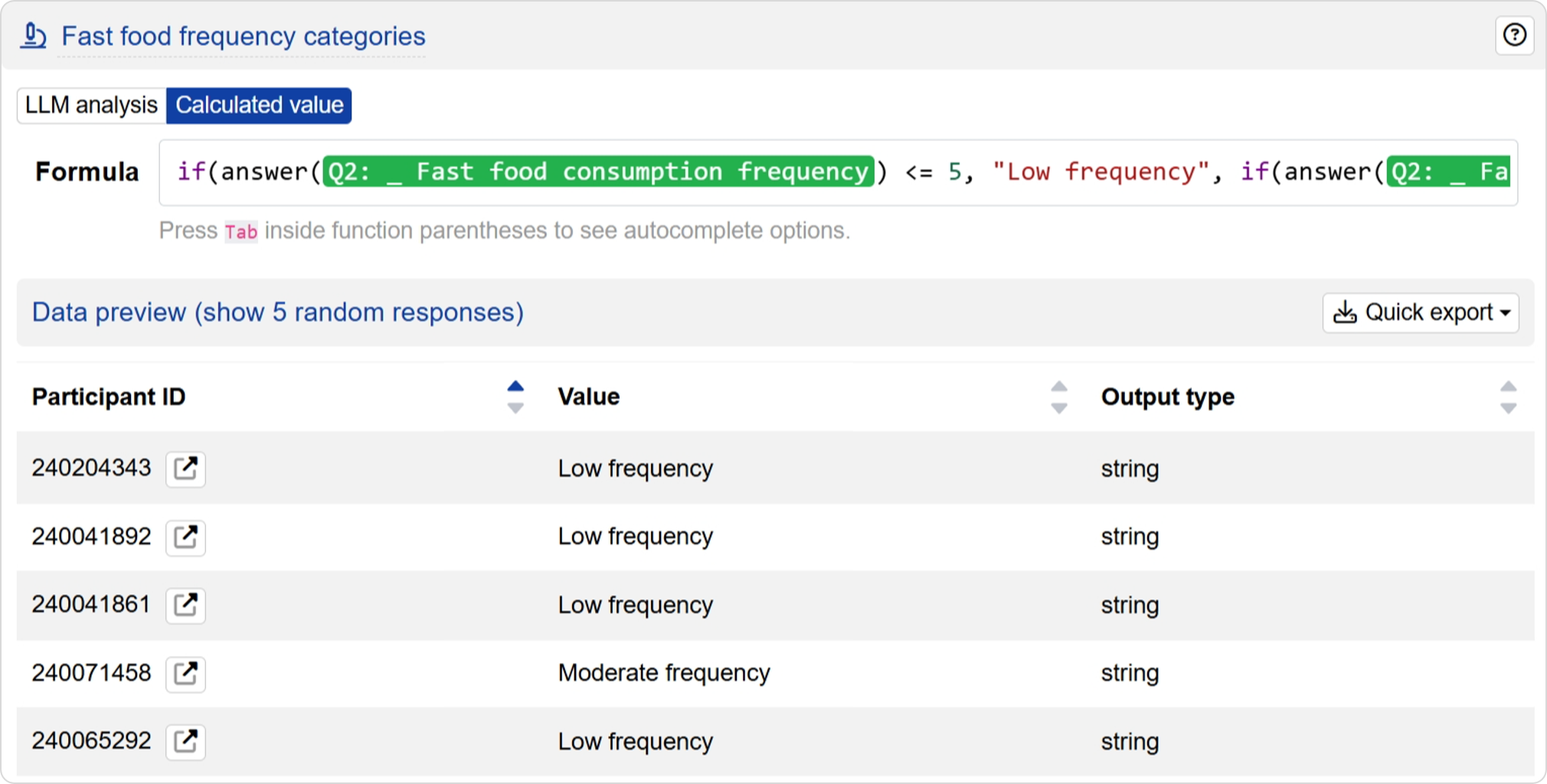
Add new calculated values you didn’t plan for during survey design. Whether categorising numerical responses into meaningful groups, generating composite scores from multiple questions, or applying mathematical transformations, you can easily process these calculations across your entire dataset and use the results for segmentation and weighting schemes.
Get in touch to discuss Deep probe
Have any questions or suggestions for improving the functionality? Conjointly welcomes feedback to enhance this feature, so feel free to get in touch.