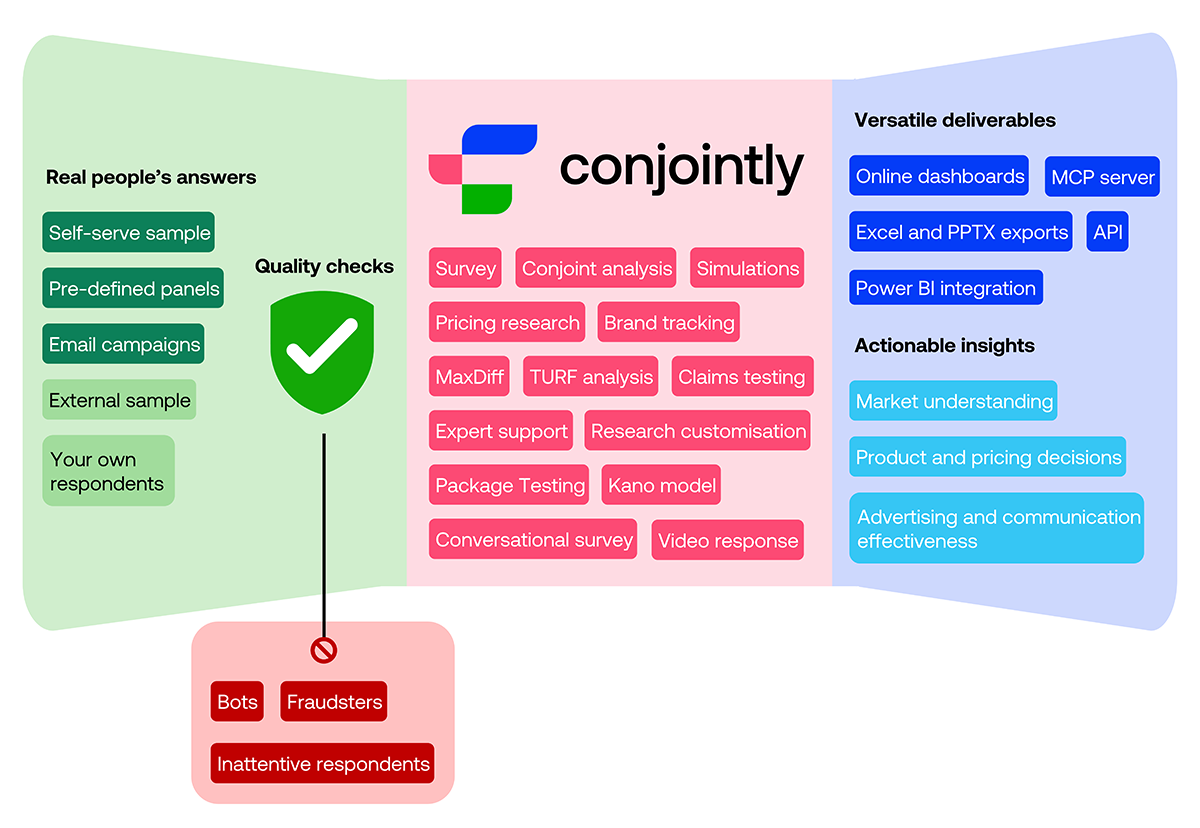

From gathering real people's answers to delivering insights in the format your team needs, see everything you can do in one workflow within Conjointly.
Whether you need quick data on a tight timeline or comprehensive insights for a high-stakes decision, you can get everything done in one streamlined workflow within Conjointly. From gathering real people’s answers to delivering insights in the format your team needs, this overview shows how it works.
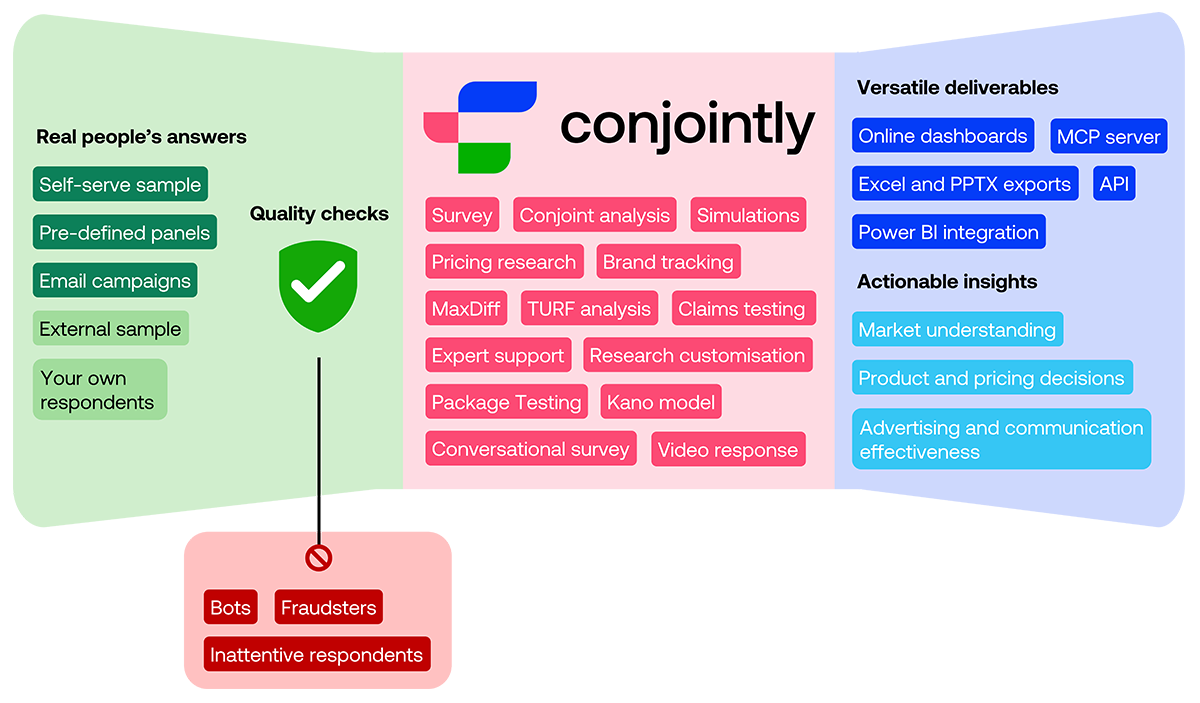
Reach real people and collect quality-checked answers
Every project has its own budget, timeline, and sample requirements, so Conjointly gives you several options to reach the exact respondents you need.
When you need responses urgently or want full control over data collection, Self-serve sample lets you launch instantly with your own targeting filters, quotas, and bid per complete response. Responses typically arrive within hours.
If you need a fully managed solution for specific sampling requirements, choose Predefined panels. Conjointly’s fieldwork team runs the data collection and checks responses by hand, which makes these panels a good fit for hard-to-reach and niche audiences.
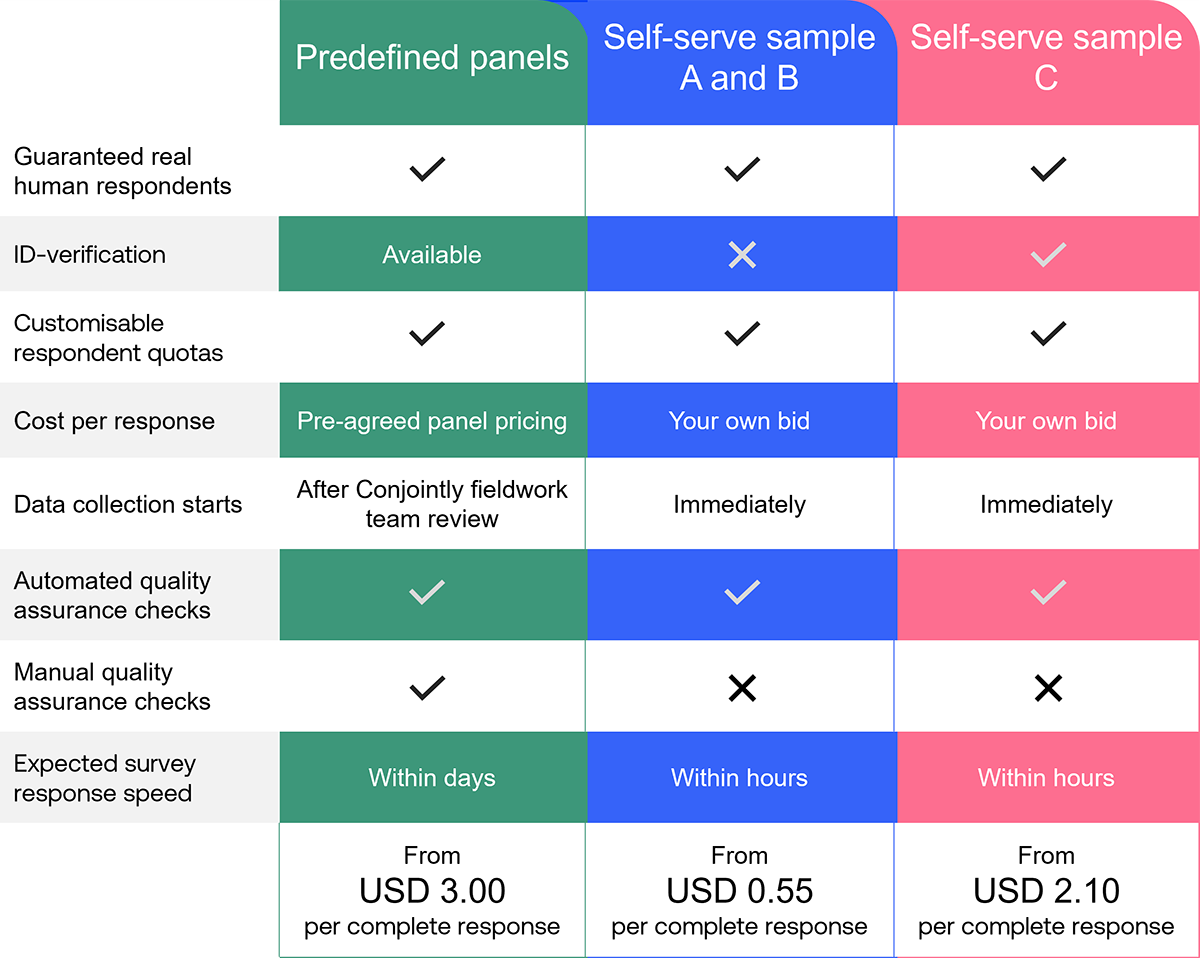
You can also invite your own audience and respondents from an external sample provider, with a shareable link or an email campaign.
Whichever source you choose, you can use Conjointly’s multi-layered quality checks, which work together to detect bots, fraudsters, and inattentive respondents in real time, so you only pay for real human responses.

Run advanced research on your own, with your team, or with Conjointly’s experts
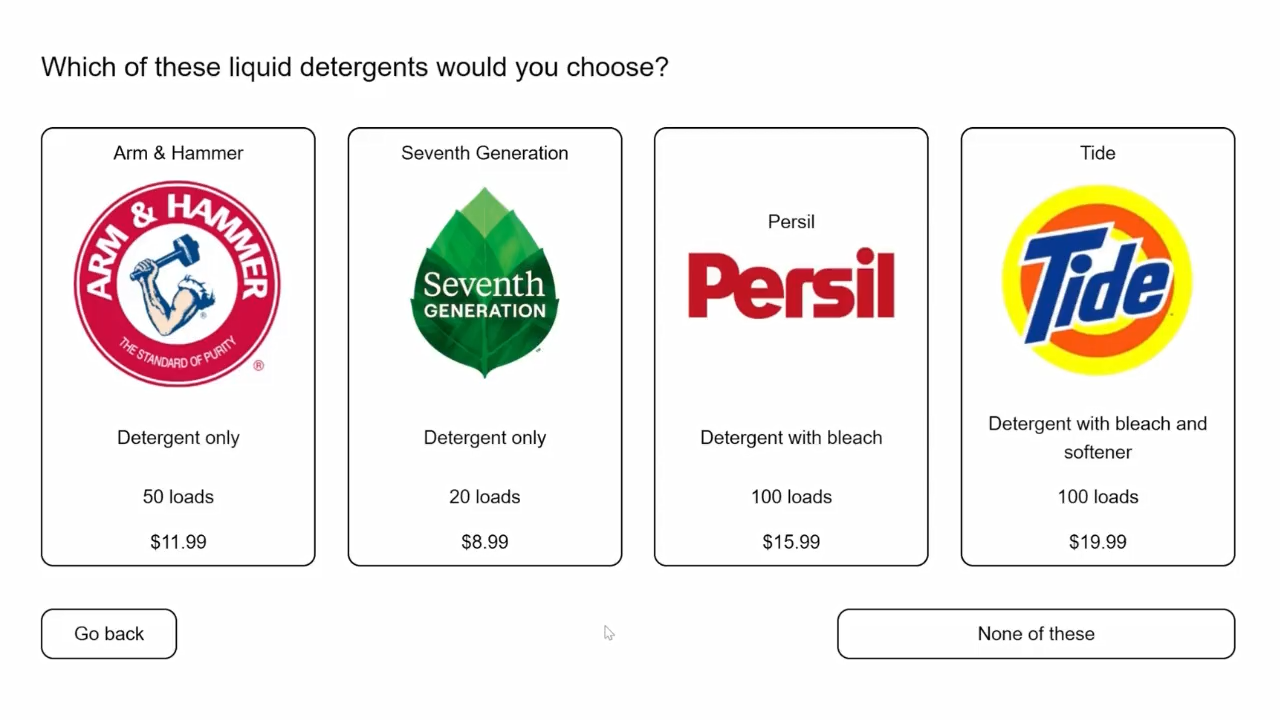
Whether you are running conjoint analysis or pricing research, testing product concepts or claims and messaging, or surveying consumers, Conjointly has a ready-to-launch tool for it.
Follow the guided steps and you can launch a study within minutes. Mix and match more than 30 question formats, then add advanced display logic and translations. You can even use your own CSS and JavaScript to customise the look and feel of your survey.
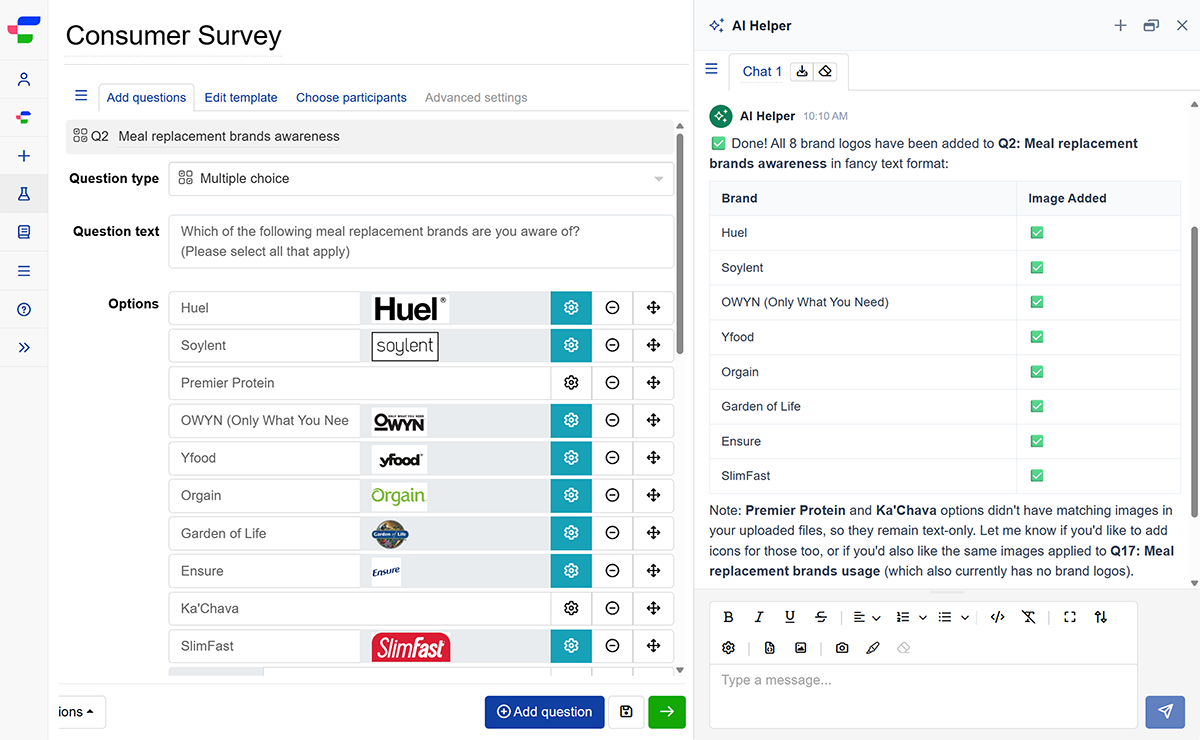
To get started faster, you can upload a questionnaire document or describe your research goals, and get a complete survey drafted for you to review. If you work in a team, you can add your colleagues as co-owners and build the study together.
Once you launch, Conjointly handles the rest. It collects the responses, analyses the data, and prepares your report.
If you would rather delegate your study or have an expert take the lead, Conjointly’s researchers can deliver a tailored solution on time and within budget. Book a call with the team to discuss your project requirements and expected outputs.
From raw data to deliverables that your team actually wants
Your results arrive in an online report dashboard of interactive charts and tables, which Conjointly builds automatically.
With conjoint analysis and other choice-based tools, you can test different product scenarios using the attributes and levels from your study within Conjointly’s preference share simulator.
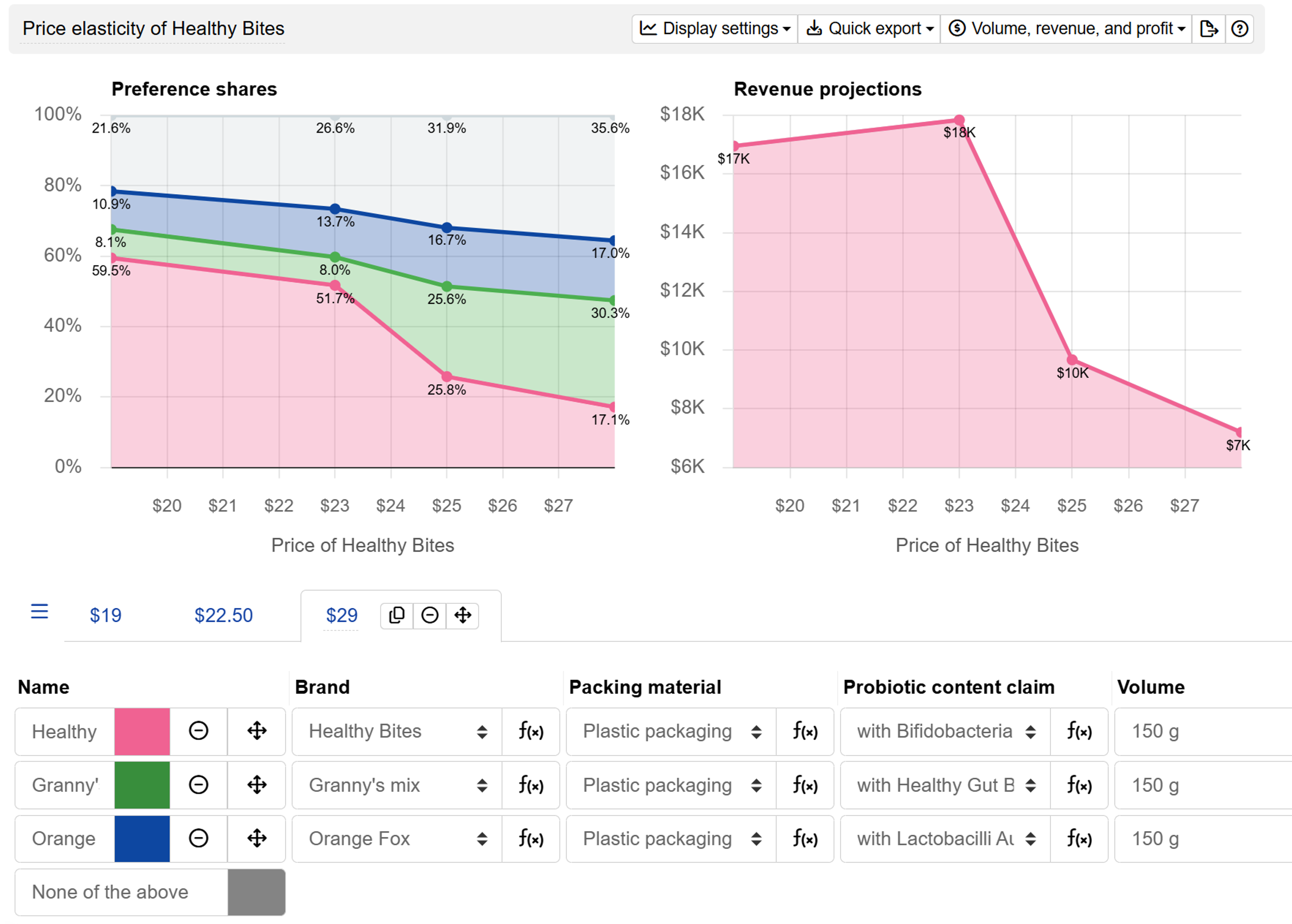
Through simulations, you can project how changes in your offering affect preference and revenue, so you can find the features and pricing that maximise share or revenue.
To dive deeper into the data, you can segment the results by participant source, respondent information, answers to survey questions, or your own calculated variables.
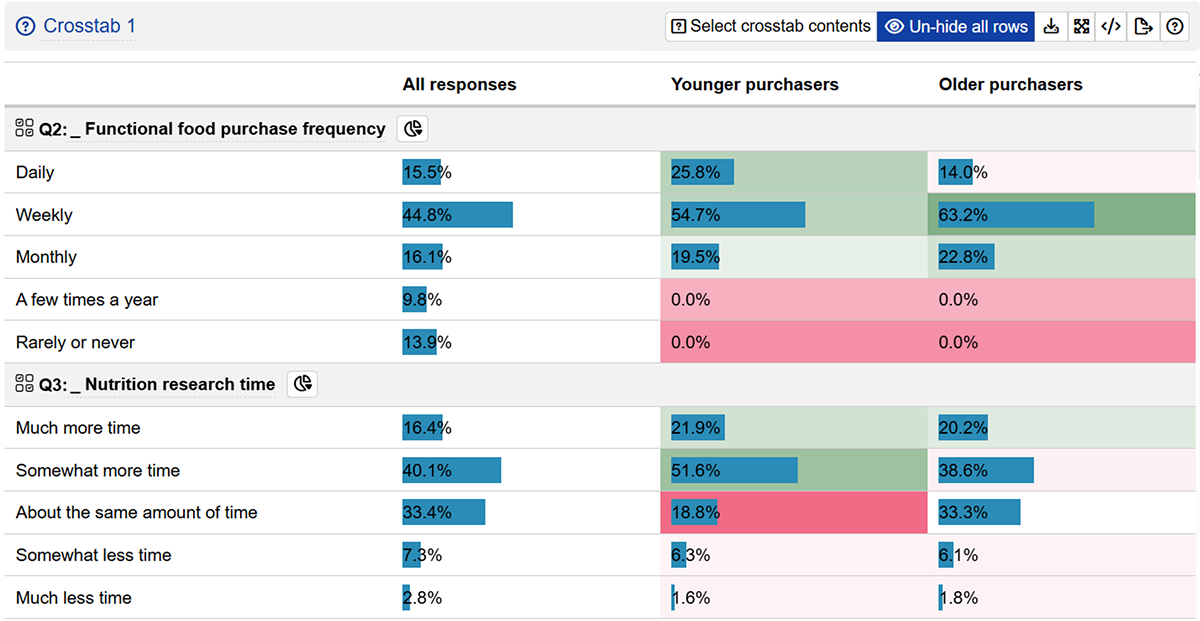
For custom analysis and data visualisations, Insights Explorer lets you describe the analysis you need in plain text and generates the R code for it. To analyse open-ended answers, simply run a Deep probe analysis to get structured results without manual coding.
For quick takeaways, check out Data stories in your report. Each story is a ready-made write-up of your study, offering key charts, tables, and commentary.
Every Conjointly report and its raw data can be shared. Add your team members as co-owners or view-only users, export the report to Excel or PowerPoint, or download the raw data as Excel, SPSS, or R files.
You can also connect your Conjointly data to the tools your team already uses, through the Power BI integration, the Conjointly API, and the MCP server.
Looking to connect your AI assistant to Conjointly?
Your AI assistant can now get read-only access to your Conjointly studies through the MCP server, so you can ask it questions about your data. Set it up in three steps:
- Add a custom connector in your assistant with the server address
https://api.conjoint.ly/mcp. - Sign in with your Conjointly account.
- Ask your first question, such as “Show the attribute importances for my latest conjoint study.”
The MCP server guide covers the setup steps for each supported assistant, and what the assistant can and cannot do.
Make confident decisions with actionable insights
Whether you are building market understanding, shaping product and pricing decisions, or improving advertising and communication effectiveness, Conjointly helps you gather real people’s answers and transform them into insights that you can act on.
Have a project in mind? Book a call to talk through how Conjointly can get you from question to insight.